 Go up
Go up


Exploring SimplyMap Data: P$YCLE
Posted on Apr 28, 2016 by Admin
In this week’s SimplyMap report we’ll take a look at one of our newer data packages offered, P$YCLE® by Nielsen.
P$YCLE® is a segmentation system that evaluates consumers using key demographic factors that have the greatest effect on their financial behaviors, such as income, age, presence of children, home ownership and Nielsen' proprietary measure of Income Producing Assets (IPA). The result is a total of 58 P$YCLE® segments, within 12 P$YCLE Lifestage Groups, each with distinct usage patterns for financial and investment products and services.
Let’s take a look at the top segments from a few cities around the US. First, create a new Standard Report (under New Tabular Report > Standard Report). Next, open the variables panel and navigate to the P$YCLE® segments folder - from there, select Add All Variables from the action dropdown that appears. Close out the panel to generate your report for the US.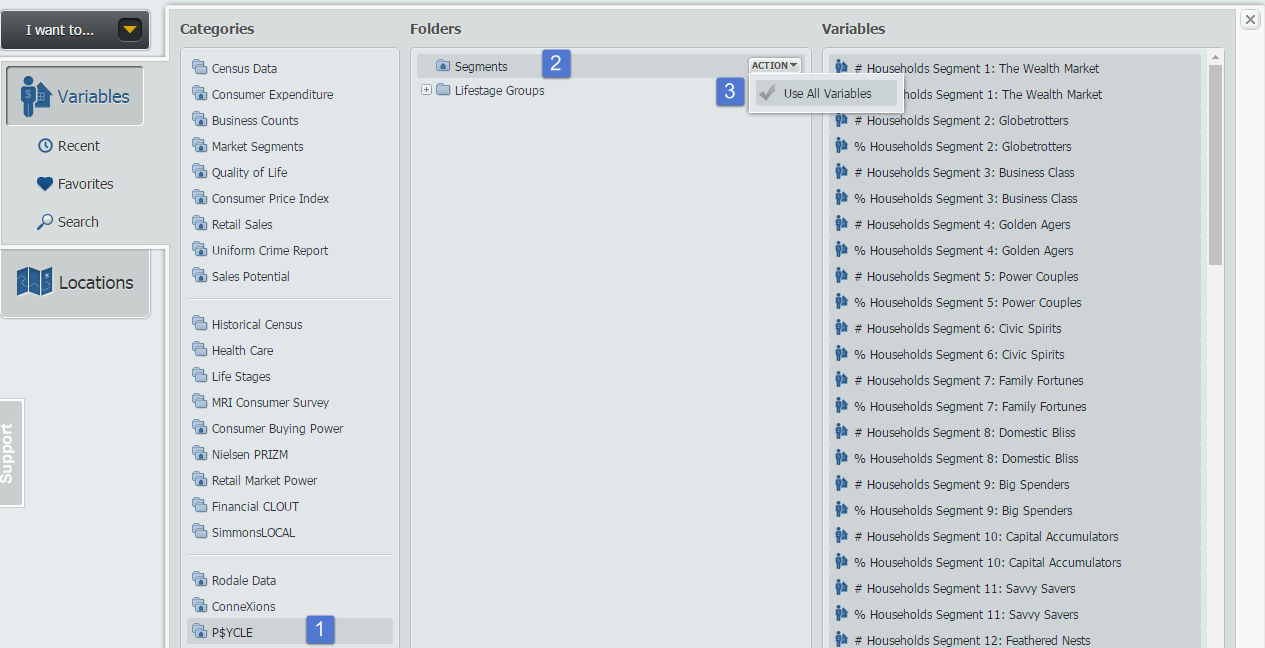
Hover over the Location header in your report and select Sort Descending to view the top segment for the United States:
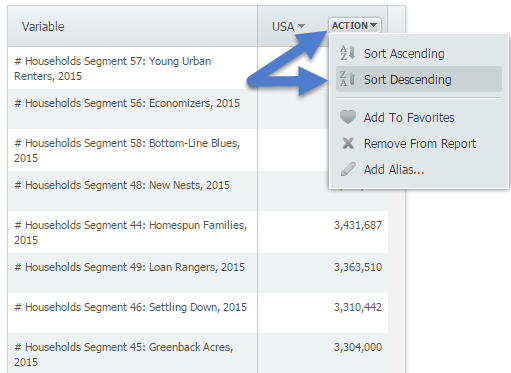
The top segment for the United States is Segment 57: Young Urban Renters. To read more about this segment, hover over the variable and select View Metadata.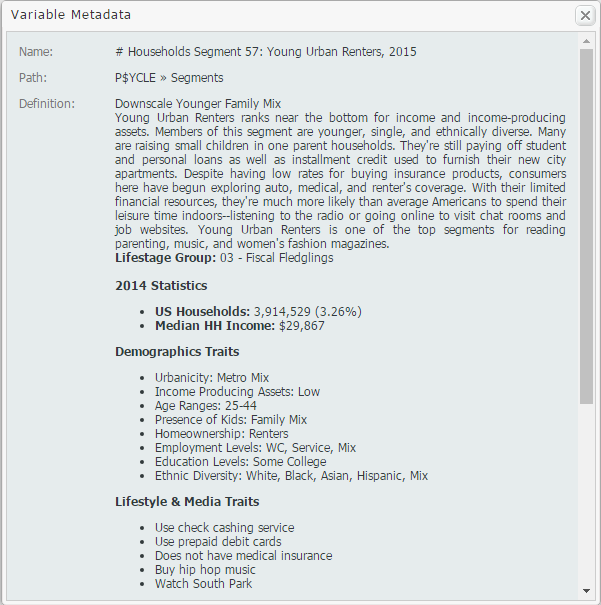
Lastly, add some locations of interest to your report and repeat the process above for each heading to view its highest segment. Results below!
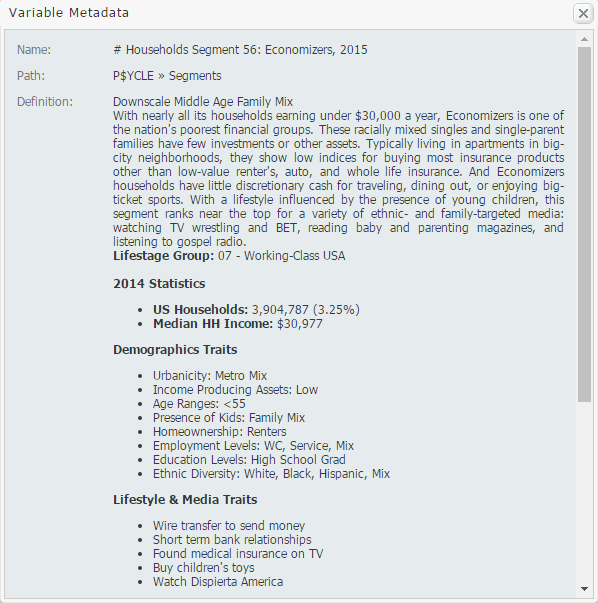
Houston, TX - Segment 56: Economizers
San Francisco, CA - Segment 5: Power Couples
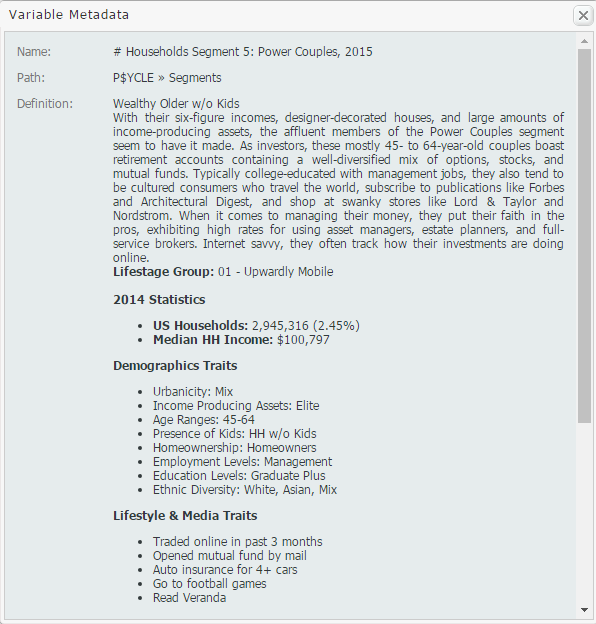
Pittsburgh, PA - Segment 49: Loan Rangers
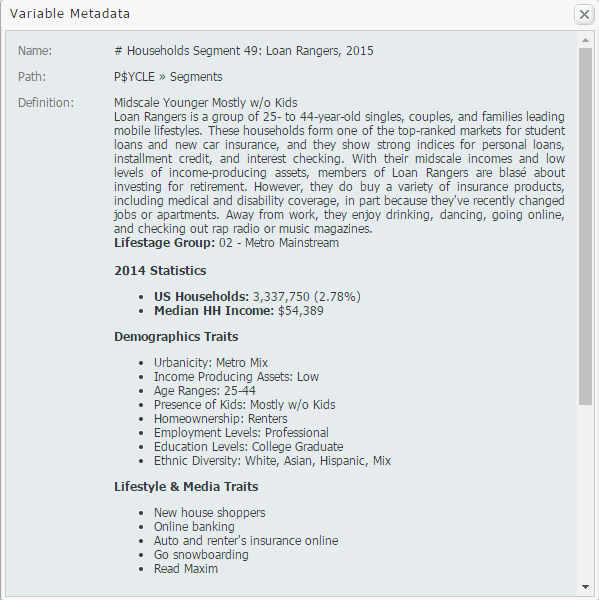
We hope you enjoyed this week’s SimplyMap report reviewing the P$YCLE® data set - if your institution is interested in a trial of this package, please email support@geographicresearch.com
More from SimplyAnalytics


Posted on Oct 08, 2008 by Admin
Geographic Research, Inc. (GRI) is pleased to sponsor the fourth annual American Collegiate Retailing Association’s Undergraduate Student Retail Analysis Competition. This is the second ...
Posted on Dec 02, 2014 by Admin
Today we take a look at one of the more advanced features in SimplyMap - editing the map legend. Editing the map legend is a great way to not only customize how the data is distributed on...
Posted on Jan 16, 2026 by Admin
We are excited to be exhibiting at the Public Library Association (PLA) 2026 Conference in Minneapolis this April 1-3!
Posted on Oct 07, 2024 by Admin
We're headed to Charleston! Come visit the SimplyAnalytics team on November 12th at the Gaillard Center at booth 41. We'll be doing live demonstrations of the database, answering question...
Posted on Apr 07, 2020 by Admin
As COVID-19 spreads across the United States researchers need access to the latest data visualization and analytics tools. As a result, the SimplyAnalytics team just added COVID-19 data ...
Posted on Jan 23, 2015 by Admin
SimplyMap offers a total of 5 unique types of reports: Standard Report, Ranking Report, Business Report, Ring Study, and Location Analysis. This brief write up will define what each repor...
Posted on Dec 11, 2023 by Admin
Hello readers! We have some fantastic news to share. SimplyAnalytics is thrilled to announce the addition of 2020 Election data to our expanding collection of powerful datasets. With this...
Posted on Feb 27, 2015 by Admin
SimplyMap is an excellent tool for market research, and it’s made even more powerful by Nielsen PRIZM data. Nielsen PRIZM is the highest quality market segment data available. Every house...
Posted on Feb 24, 2019 by Admin
Visit with the SimplyAnalytics team at this year's 14th annual Electronic Resources & Libraries Conference in Austin, TX! You can find us at Table 207, where we will be available to a...
Posted on Feb 24, 2023 by Admin
We are excited to attend SCELCapalooza 2023, a three-day conference for academic and research librarians in Southern California. The Vendor Day showcase will take place on March 1st, 2023...