 Go up
Go up


Creating a Custom Location from a Map
Posted on Sep 15, 2016 by Admin
While creating a radius location is the fastest and easiest method for creating a custom location, there may be situations that require a more specific and targeted locale. Let’s say for example that our target area for analysis are a few neighborhoods located west of Rittenhouse Square Park in Philadelphia.
A radius location would not work in this example as it will include all areas within a defined radius (e.g., 5 miles) around a specific block group. Using the process outlined below will allow you to focus in on the specific areas west of Rittenhouse Square Park, and create a custom location directly from a map. Let’s get started!
First, zoom in on the target area that will make up the custom location.
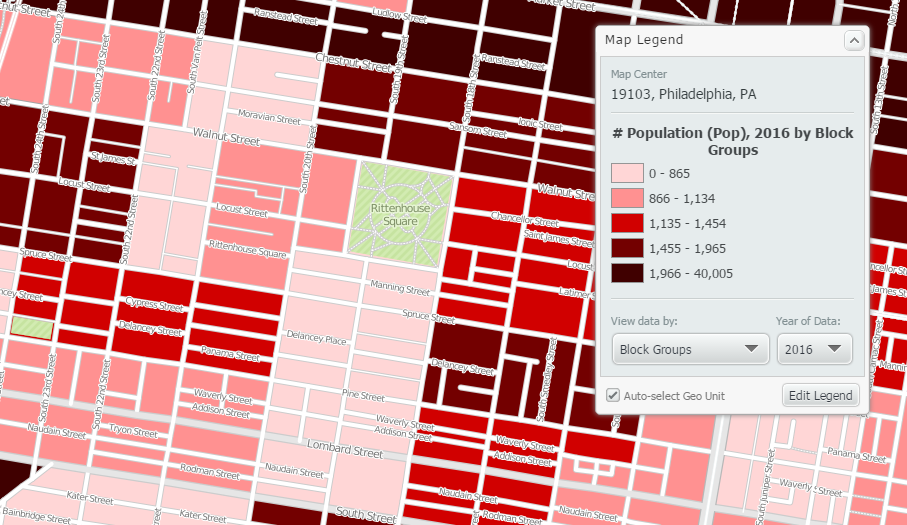
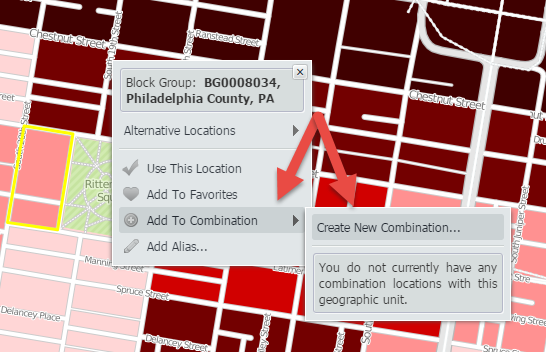
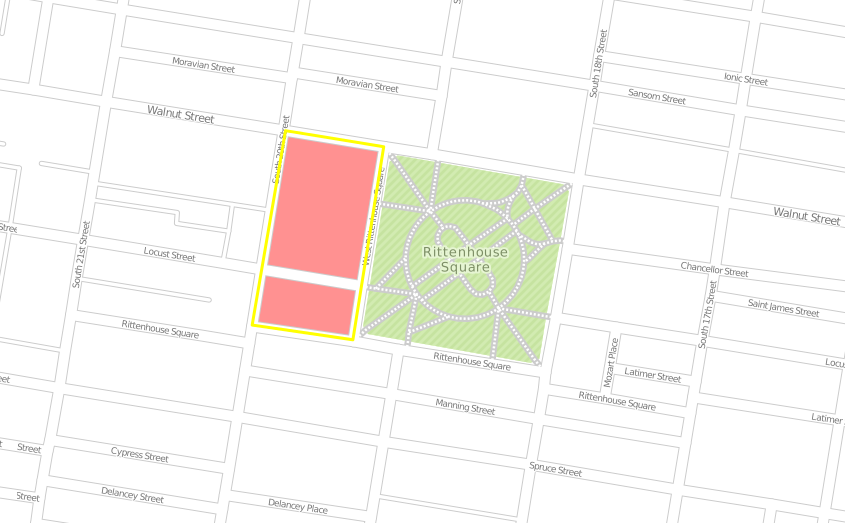
Utilize the i-tool and select the first area that will be included in your custom location. Hover over Add to Combination to select the option Create New Combination.
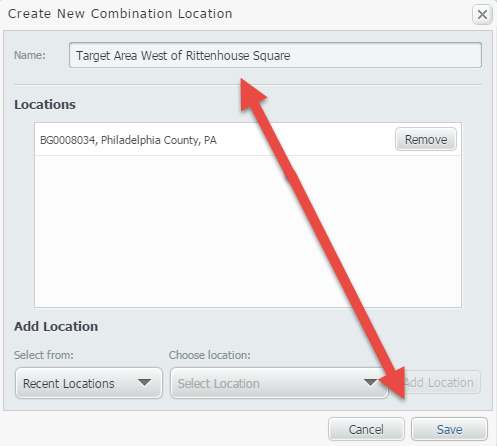
Give your location a name, and click save.
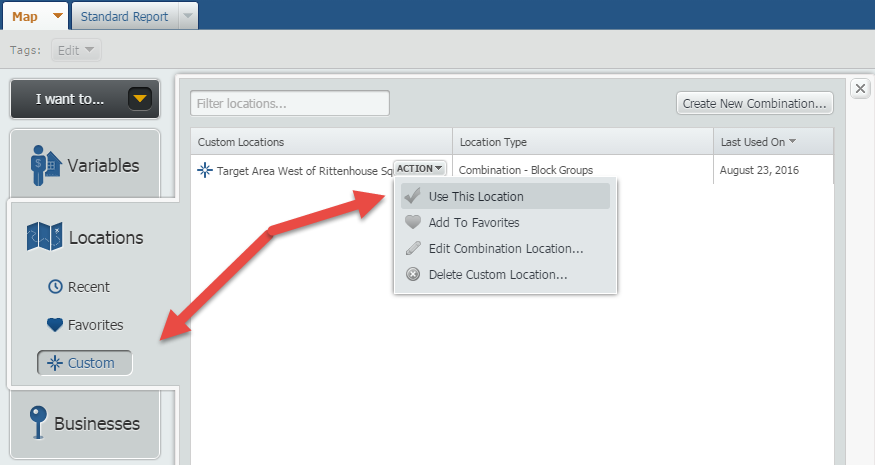
With the Combination now created, open the Locations panel, click on Custom and use the newly created combination.
Your map will now look like this (with the one location we clicked on earlier):
Note: We applied a Location Mask to remove colors outside of our target area (shown in white now).
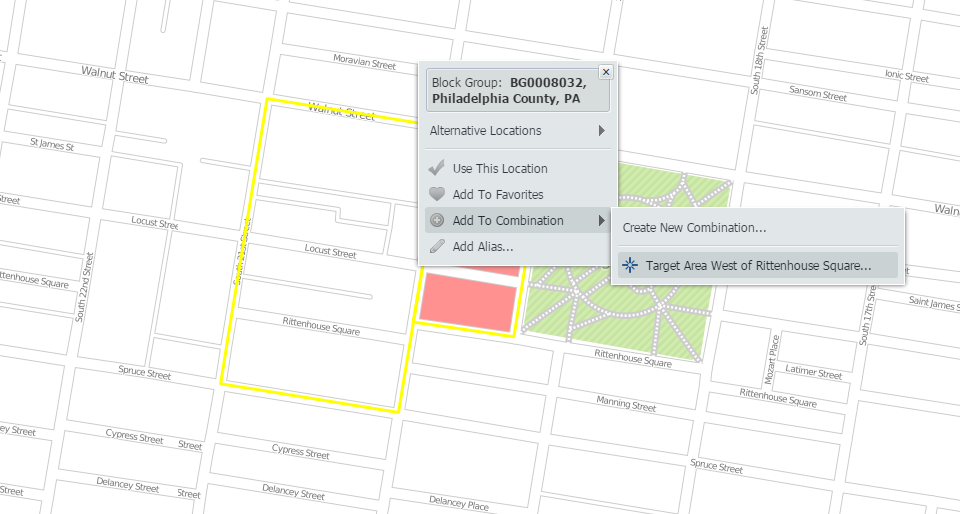
Use the i-tool once more, and repeat the process above adding new locations into the combination location:
Final result:
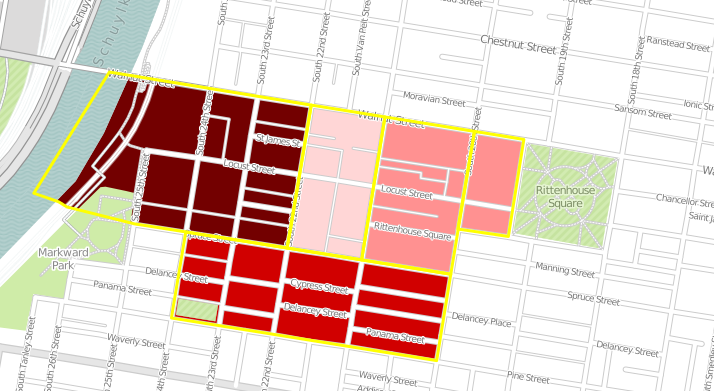
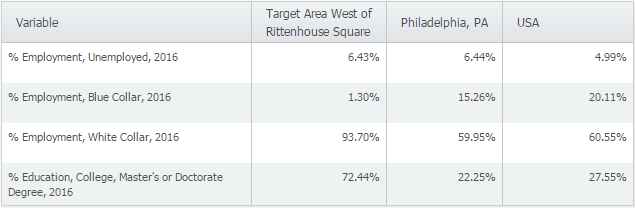
With the target area now created, you can utilize it in both maps and reports for further analysis.
Stay tuned for more SimplyMap tips and how-to’s!
More from SimplyAnalytics


Posted on Oct 27, 2017 by Admin
Welcome to our first ever SimplyAnalytics blog! Every Friday we’ll post a write up on a specific feature or highlight some interesting data in SimplyAnalytics. The goal of these posts is ...
Posted on Nov 03, 2017 by Admin
This week we’ll talk about one of our favorite features in SimplyAnalytics - the custom combination location. This feature is a simple and effective means to create custom geographies whe...
Posted on Jun 09, 2016 by Admin
In this week’s blog, we’ll be featuring our newest data offering, PRIZM® Premier. If your institution currently subscribes to PRIZM data, this new module is available at no additional cos...
Posted on Nov 10, 2017 by Admin
Welcome to this week’s SimplyAnalytics blog post. Today we’re going to take a closer look at the options available to you when editing the map legend. Let’s get started! First, to start e...
Posted on Sep 21, 2009 by Admin
The North Carolina Library Association will hold its annual conference in Greenville, NC at the Greenville Convention Center from October 6-8, 2009. Geographic Research, Inc. will be exhi...
Posted on Dec 02, 2019 by Admin
Hi everybody! We’re back this week with another question from our Help Desk. This time featuring SimplyAnalytics Canada. Let’s get started! Question: How can I analyze all of the PRIZM5 s...
Posted on Nov 28, 2023 by Admin
Hello readers! We are happy to announce that SimplyAnalytics has successfully migrated to the Census 2020 boundaries on Sunday, November 19th. This blog will talk about what that is, what...
Posted on Dec 08, 2017 by Admin
Good afternoon, readers! This week we’re going to talk about project management in SimplyAnalytics and how to best take advantage of it. Why are projects needed? Many users have multiple...
Posted on May 10, 2016 by Admin
One benefit of data and applications like SimplyMap is the ability to visualize information. In this week’s report, we’ll take a quick look at some branding preferences in contiguous Amer...
Posted on Feb 21, 2018 by Admin
We are looking forward to attending our first Electronic Resources & Libraries (ER&L) conference in Austin, TX! Visit us at Table #510 for a closer look at SimplyAnalytics – the b...