 Go up
Go up


Exploring SimplyMap Data: SimmonsLOCAL Lifestyle Statements
Posted on Jun 08, 2015 by Admin
In this week’s report we take a look at one folder found within SimplyMap’s SimmonsLOCAL data package. SimmonsLOCAL is a powerful targeting and profiling system that provides insights into consumer behavior for all of America's 210 media markets on a local level with 60,000+ data variables, including over 450 categories and 8,000 specific brands.
The folder we are looking at today is the Lifestyle Statements folder. Here you will find 26 unique lifestyle statement subcategories ranging from attitude and opinions on apparel, to diet and health statements. The picture below shows the options available.
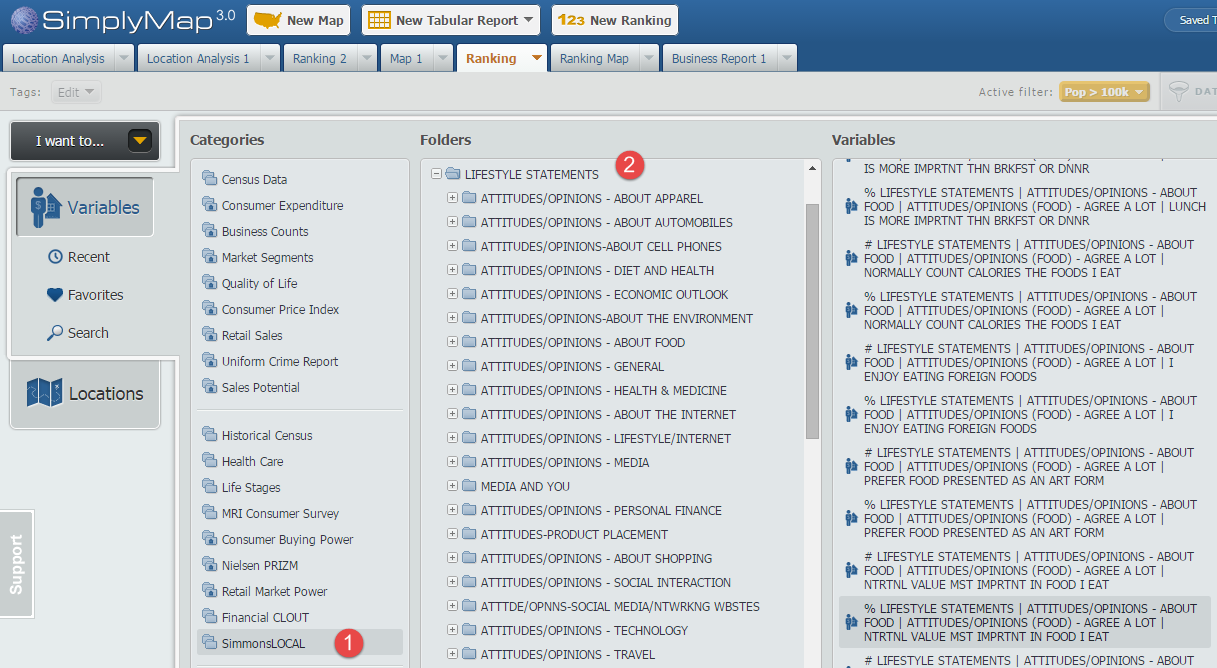
In this showcase we will create a Ranking Report using the variable statement AGREE A LOT - NUTRITIONAL VALUE MOST IMPORTANT IN FOOD I EAT. This can be found at this path:
SimmonsLOCAL » LIFESTYLE STATEMENTS » ATTITUDES/OPINIONS - ABOUT FOOD » ATTITUDES/OPINIONS (FOOD) - AGREE A LOT
First, select New Ranking found at the top of SimplyMap. Next, click on Variables and navigate through the above path to locate the variable.
Under locations, select USA as your geography and use the Analyze Data By functionality to select Cities.
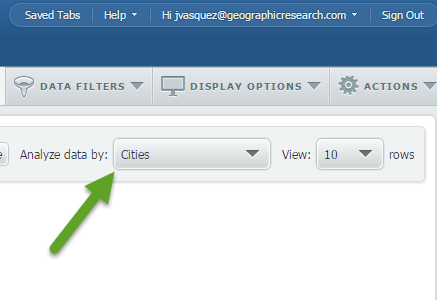
Apply a population filter (read more about using filters here) to only show cities with 100,000 or more residents, and the final result will look like this:
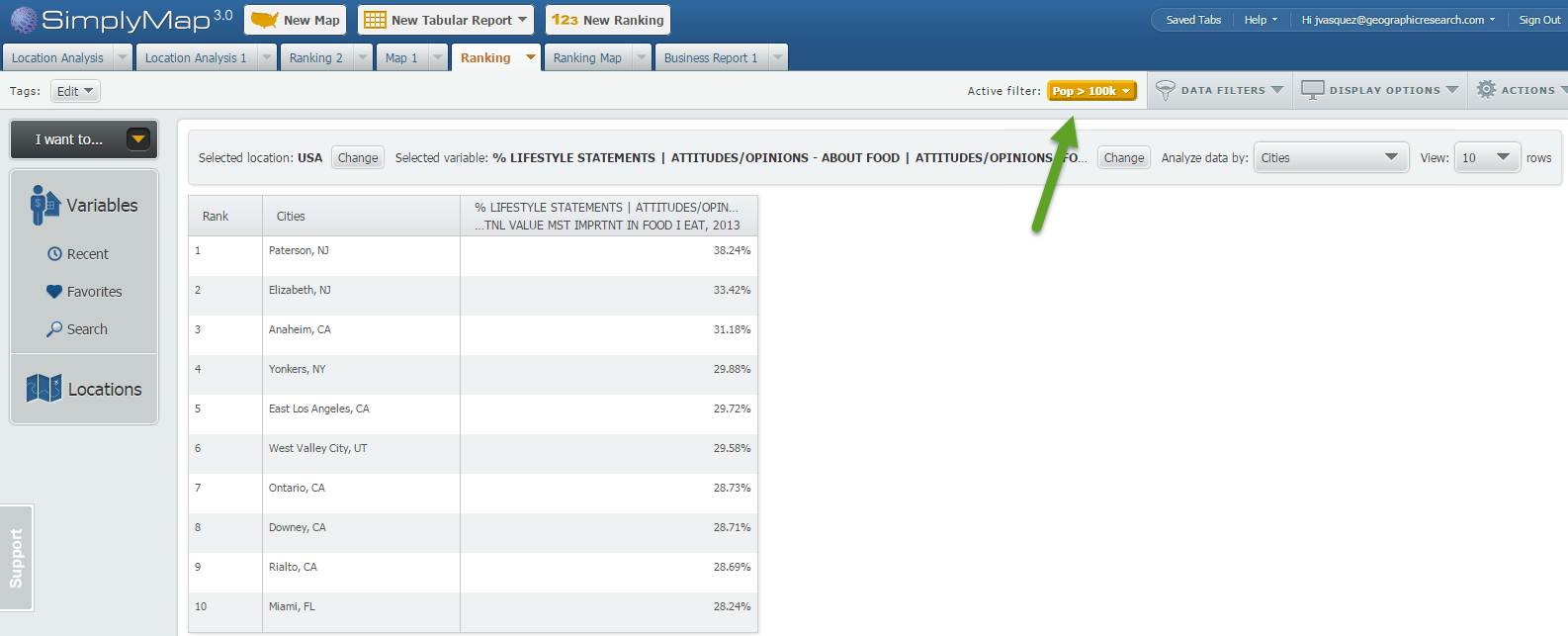
Note: you can see your applied filter located towards the top of your report by the Active Filter text.
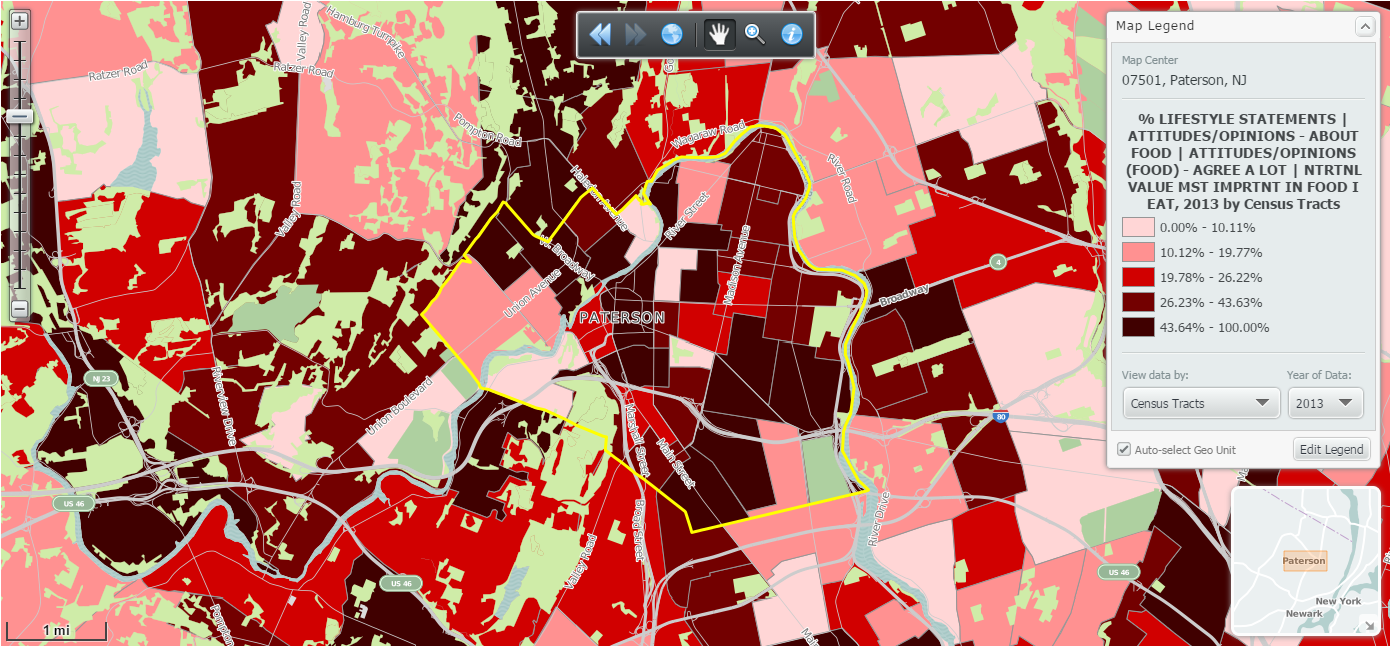
At 38.24% Paterson, NJ ranks first in the United States (cities > 100k) for folks who agree a lot with the statement: NUTRITIONAL VALUE MOST IMPORTANT IN FOOD I EAT.
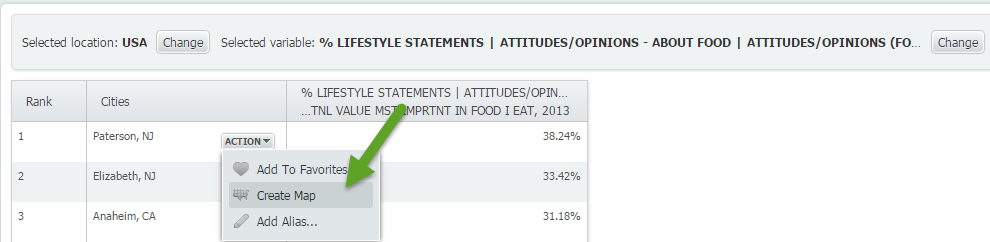
To quickly map Paterson, NJ hover over the location and select Create Map:
Map of Paterson, NJ:
We hope you enjoyed this look into the SimmonsLOCAL data set. With over 60,000 variables in the package, we will be posting many more variable spotlight reports.
Don’t forget to follow us on Twitter, and Like Us on Facebook to stay up to date with SimplyMap.
More from SimplyAnalytics


Posted on Mar 30, 2016 by Admin
In previous blog entries we highlighted the usefulness of viewing multiple years of data for the same variable. In short, analyzing the same variable across multiple years allows users to...
Posted on Dec 11, 2015 by Admin
With the final week of the college football season in the books, and bowl game selections having just taken place, we wanted to search within SimplyMap to see if any data pertaining to co...
Posted on Jan 29, 2016 by Admin
In a previous blog entry, we highlighted the benefits of having multiple years of data available for the same variable. This allows users to identify trends over time. Keeping with the sa...
Posted on Nov 17, 2014 by Admin
Our recent series Exploring SimplyMap Data Reports has focused on creating ranking reports for unique variables. Accordingly, we thought it would be helpful to write a quick tip on how to...
Posted on Mar 11, 2024 by Admin
We're thrilled to announce that SimplyAnalytics will be exhibiting at the ALA Annual Conference in San Diego! We can't wait to connect with library professionals, share insights, and show...
Posted on Apr 28, 2016 by Admin
In this week’s SimplyMap report we’ll take a look at one of our newer data packages offered, P$YCLE® by Nielsen. P$YCLE® is a segmentation system that evaluates consumers using key demogr...
Posted on Dec 12, 2011 by Admin
Men's Health magazine has published a ranked list to help readers find the cities where Americans are the saddest and where they are living with big smiles on their faces. As they note, "...
Posted on Feb 20, 2018 by Admin
We are looking forward to attending the annual SCELC (Statewide California Electronic Library Consortium) Vendor day, at Loyola Marymount University in Los Angeles on March 8th. In additi...
Posted on Dec 07, 2021 by Admin
Hello readers! We hope you are enjoying the holiday season as much as we are. Today, we are happy to announce a couple of improvements to SimplyAnalytics designed to help you get your res...