 Go up
Go up


Exploring SimplyMap Data: PRIZM® Premier
Posted on Jun 09, 2016 by Admin
In this week’s blog, we’ll be featuring our newest data offering, PRIZM® Premier. If your institution currently subscribes to PRIZM data, this new module is available at no additional cost.
What is PRIZM® Premier?
Nielsen PRIZM® Premier is the latest evolution of Nielsen’s industry-leading consumer segmentation system. New factors in the PRIZM® Premier model are measures of technology behavior and household assets. The introduction of these key drivers enables you to create segments that reflect how today’s households have embraced technology and how they have weathered the economic shifts in recent years.
PRIZM Premier defines every U.S. household as one of 68 demographic and behavior types, or segments, to help marketers discern those consumers’ likes, dislikes, lifestyles and purchase behaviors. By segmenting consumer households along these lines, you will be better able to reach and retain your most profitable customers and tailor messages and products that resonate with them. PRIZM® Premier data is available for the current year and five-year estimates.
PRIZM Premier in Action
Let’s identify the top segments within a few cities across the United States so we can analyze the segments for each city and how they might differ from one another.
Raleigh, NC
New Orleans, LA
Austin, TX
Miami, FL
To identify top segments requires a simple two step process: first, you need to add all of the PRIZM segment variables to a Standard Report, and secondly you need to sort the respective columns. Let’s get started.
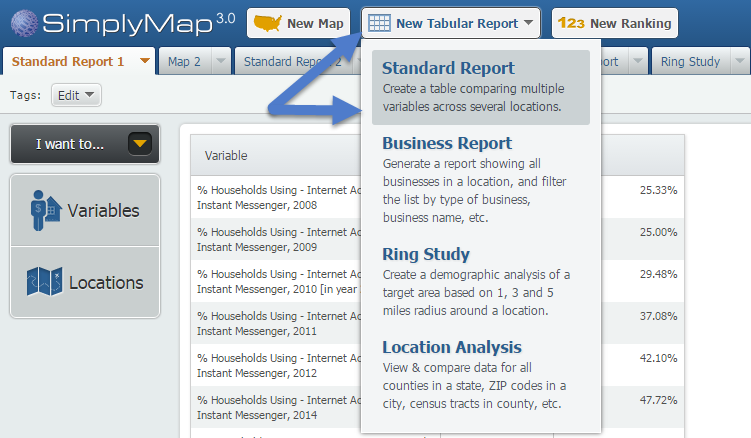
First, select New Tabular Report > Standard Report from the top of SimplyMap.
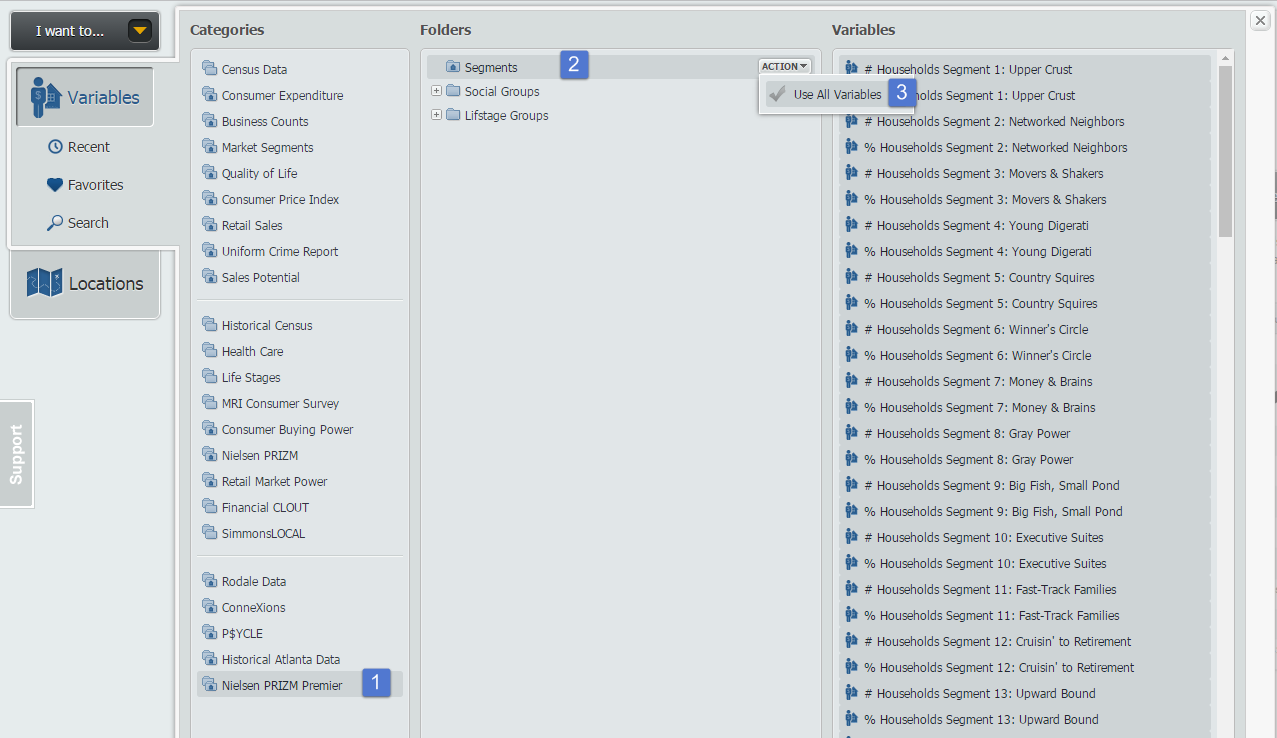
Next, open the Variables panel and navigate to the Nielsen PRIZM® Premier folder. Hover over the Segments folder and select Add All Variables from the Action dropdown that appears. Close out the panel to generate your report for the United States.
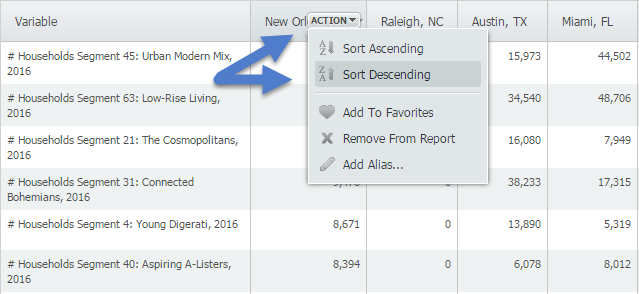
Lastly, click on the Locations panel and begin adding your cities for analysis. To identify the top segment within each city, hover over the location and select Sort Descending - this will bring the top segment numbers to the top, and scrolling further down will also reveal percentages to help normalize the data between cities.
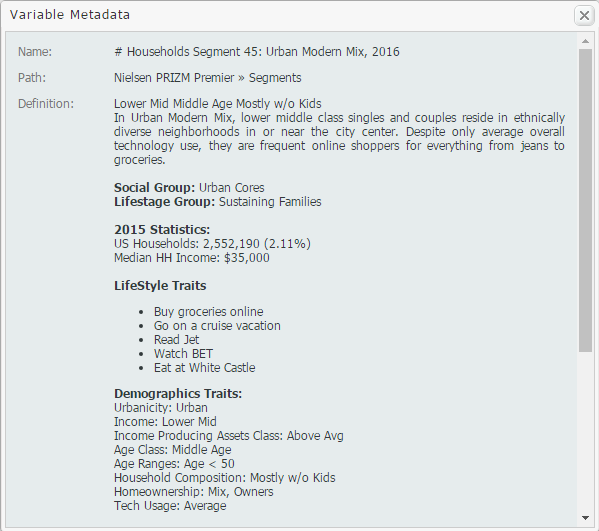
The metadata for each top segment is below! Check it out and let us know what you think.
New Orleans - Segment 45: Urban Modern Mix
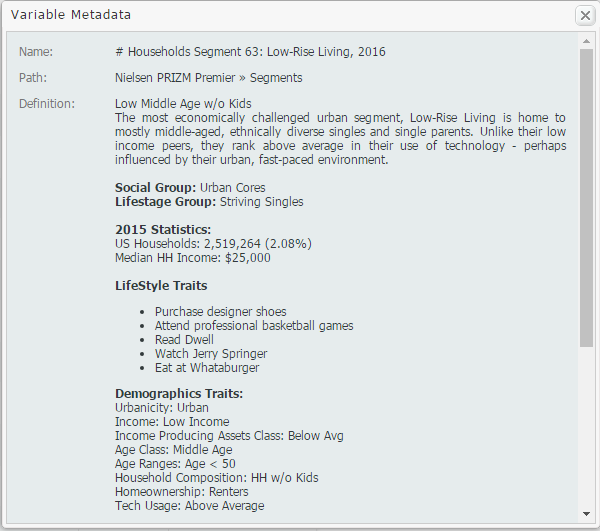
Miami - Segment 63: Low-Rise Living
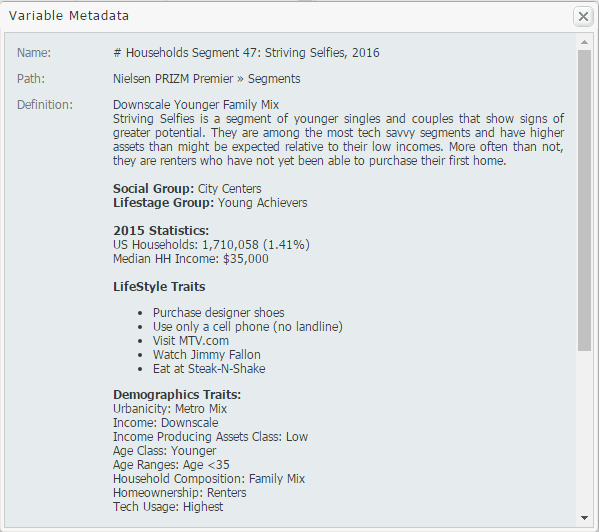
Raleigh - Segment 47: Striving Selfies
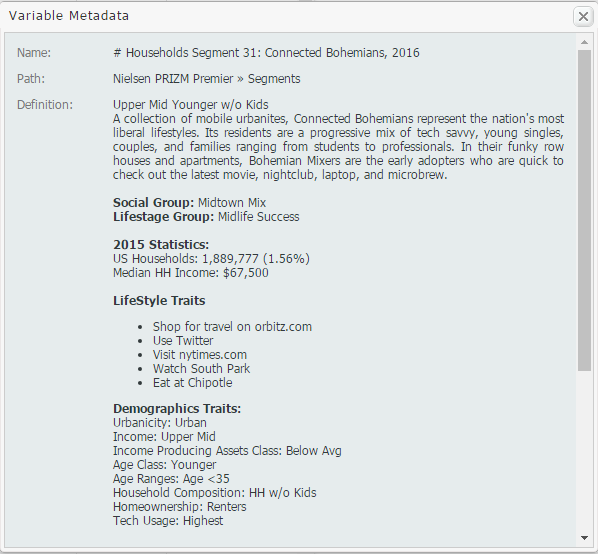
Austin - Segment 31: Connected Bohemians
Unique top segments to represent these unique cities in America. We hope you enjoyed this week’s SimplyMap report. Stay tuned for more tips and tricks!
More from SimplyAnalytics


Posted on Oct 12, 2010 by Admin
NC LIVE, a member-driven library service organization dedicated to providing online information services that support education, enhance statewide economic development, and increase qu...
Posted on Oct 23, 2009 by Admin
SimplyMap was highlighted in the Wake County, NC Public Library Business Blog today as a valuable tool for business planning. Wake County has access to SimplyMap through NC LIVE, a statew...
Posted on Mar 02, 2015 by Admin
In this week’s SimplyMap tip, we outline the process of creating a radius location. Radius locations are a great way to quickly gather information from an area surrounding a target addres...
Posted on Nov 22, 2016 by Admin
We will be exhibiting at ALA Midwinter in Atlanta, Georgia in January. You can find the GRI team at Booth 1155, where we will be catching up with customers old and new, and sharing some e...
Posted on Oct 02, 2015 by Admin
In this week’s SimplyMap tip, we wanted to do a quick write up reminding users about the Saved Tabs feature within SimplyMap. Did you know that SimplyMap will automatically save all of yo...
Posted on Feb 19, 2016 by Admin
Drop by booth #857 at PLA 2016 to meet the SimplyMap team and learn more about the features and functions behind SimplyMap. Have a Ghirardelli Chocolate while we present SimplyMap and off...
Posted on Sep 15, 2025 by Admin
SimplyAnalytics will be attending the upcoming NCLA Conference in Winston-Salem October 14-17!
Posted on May 19, 2015 by Admin
We will be attending ALA this summer in San Francisco (hint: dress warm!). Visit us at Booth 413 and don't forget to enter our raffle - we will be giving away a $100 gift certificate to A...
Posted on May 02, 2016 by Admin
Inspired by a recent support desk question, this week’s SimplyMap report will demonstrate how a user would run a business search that consists of multiple names. In short, the user was at...
Posted on Feb 17, 2015 by Admin
Our recent trip to Chicago exhibiting at the ALA Midwinter Meeting inspired this week’s SimplyMap blog post. Today, we’re going to demonstrate how to use business points in SimplyMap to a...