 Go up
Go up


SimplyMap Tip - Using Tags
Posted on Oct 26, 2016 by Admin
In this week’s SimplyMap report, we’ll take a look at the tags feature and demonstrate how it can be useful for you as you work in SimplyMap. SimplyMap users can have up to 20 tabs open in SimplyMap, each with a different map or report. As you progress and generate more tabs, it becomes useful to organize your work. This is where the tags feature comes in handy.
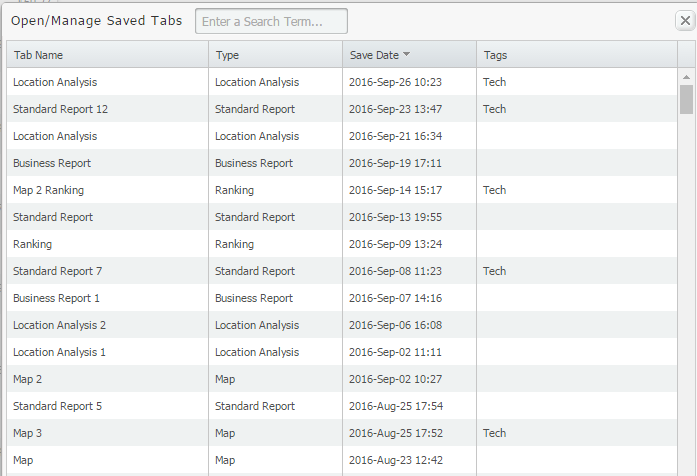
Let’s say for example that you want to revert back to some tabs mapping technology adoption data that you previously closed out. If you didn’t tag your work, and did not name the tab, the task of finding the right tab can become tedious. Your saved tabs list looks something like this:
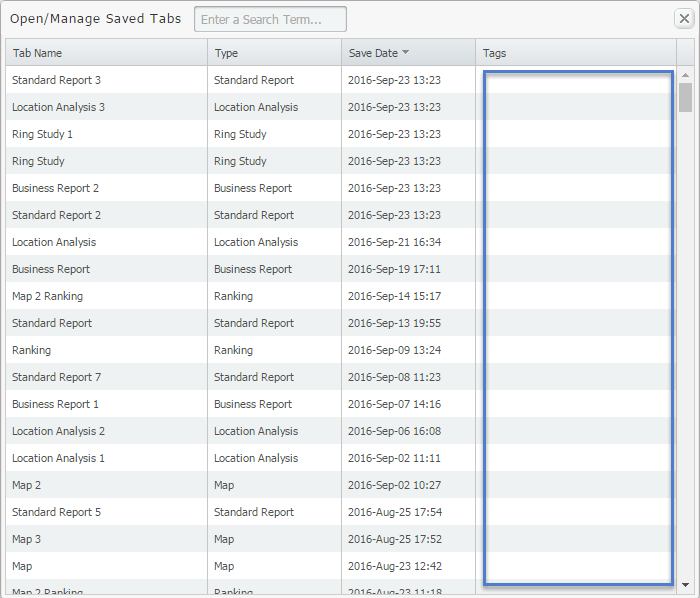
If tags are assigned, you can search by keyword and identify the tab you are looking for quickly. Applying tags to your work is simple, here’s what to do:
Select the Edit drop down menu located towards the top-left of your report (1), enter a tag in the available textbox (2), and then Add (3). See image below:
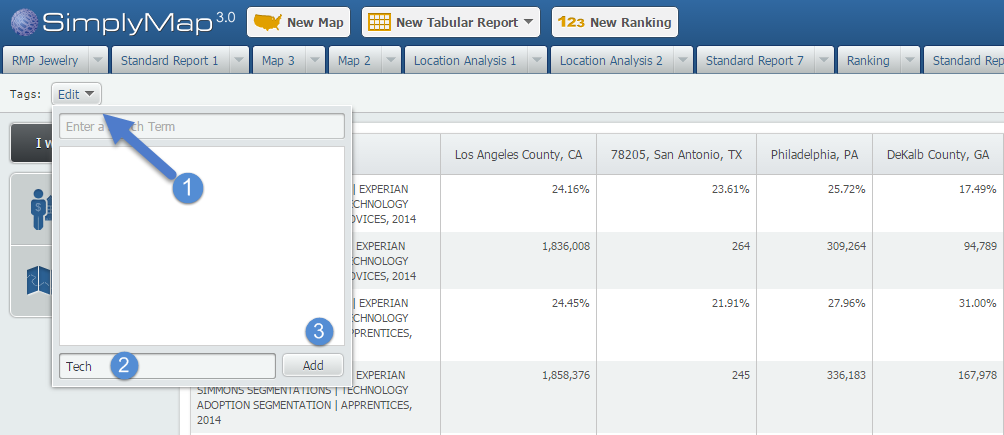
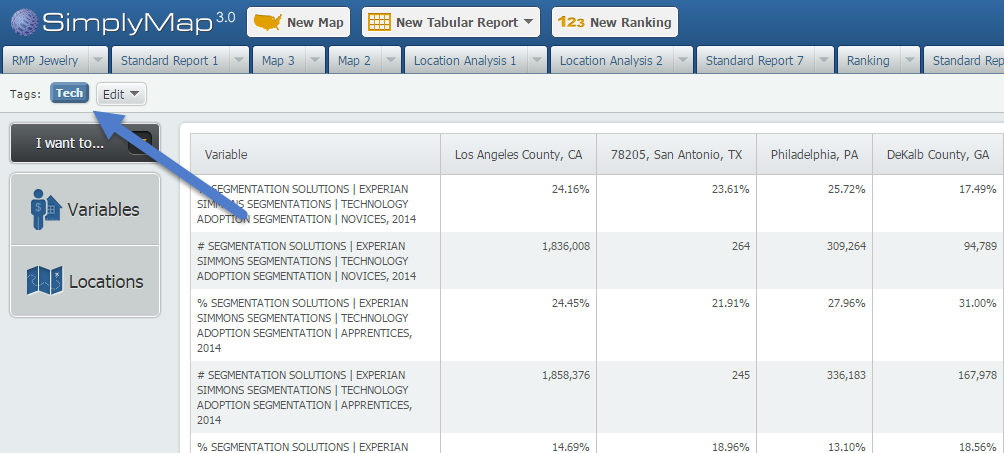
Once added, you’ll see a tag added by that option:
To assign the “Tech” tag to other tabs in SimplyMap, open the tab and select “Tech” from the available tags:
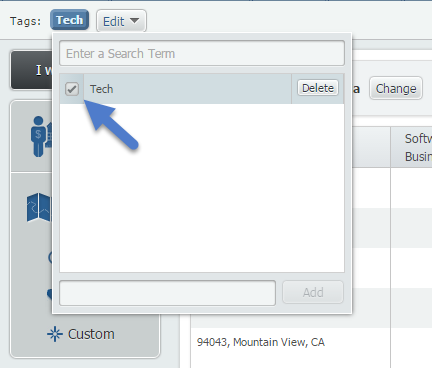
When you go back to your saved/managed tabs list, you be able to see or quickly search for all maps and reports related to Tech.
Stay tuned for more SimplyMap tips!
More from SimplyAnalytics


Posted on Mar 04, 2014 by Admin
March 11-15 Indianapolis, Indiana The Public Library Association is prepared for another week of events, workshops and special appearances for librarians and authors. Visit our exh...
Posted on Mar 09, 2010 by Admin
The GRI team will be exhibiting at the 2010 Public Library Association conference later this month at the Oregon Convention Center in Portland, OR. The PLA National Conference is the prem...
Posted on Jul 09, 2009 by Admin
The American Library Association 2009 Annual Conference will take place in Chicago, IL from July 9- July 15, 2009 at McCormick Place West located at 2301 S. Lake Shore Drive Chicago, IL. ...
Posted on May 17, 2016 by Admin
This week’s SimplyMap report is a quick reader challenge. Can you guess what the map of the United States below is depicting? Keep in mind the legend colors - lighter is less, and darker ...
Posted on Feb 24, 2023 by Admin
We are excited to attend SCELCapalooza 2023, a three-day conference for academic and research librarians in Southern California. The Vendor Day showcase will take place on March 1st, 2023...
Posted on Jul 24, 2013 by Admin
Registration is now open for the North Carolina Library Association Conference! Visit us at the 60th biennial conference (Booth #45) through October 15 - 18, 2013. We have beautiful ca...
Posted on May 24, 2023 by Admin
SimplyAnalytics is excited to attend. Swing by booth 1733 for a brief demo, and discover how our user-friendly demographics, business, health & marketing data analytics and visualizat...
Posted on Jan 10, 2024 by Admin
We are delighted to announce our sponsorship of the Midwest Entrepreneurship Case Competition! At SimplyAnalytics, we understand the power of data-driven decision-making in entrepreneursh...
Posted on Dec 08, 2010 by Admin
The GRI team will be attending the American Library Association Midwinter meeting this year at the San Diego Convention Center. Visit us in booth 1055 in the exhibit hall from January 7 -...
Posted on Mar 10, 2011 by Admin
The GRI team is looking forward to exhibiting at ACRL 2011 at the PA Convention Center in Philadelphia, March 30 - April 1, 2011. Every other year, ACRL offers its premier professional d...