 Go up
Go up


Business Search Tip: Searching Multiple Names
Posted on May 02, 2016 by Admin
Inspired by a recent support desk question, this week’s SimplyMap report will demonstrate how a user would run a business search that consists of multiple names. In short, the user was attempting to view on a map and report where Walmart and Target stores were located within a city. Here’s how we did it.
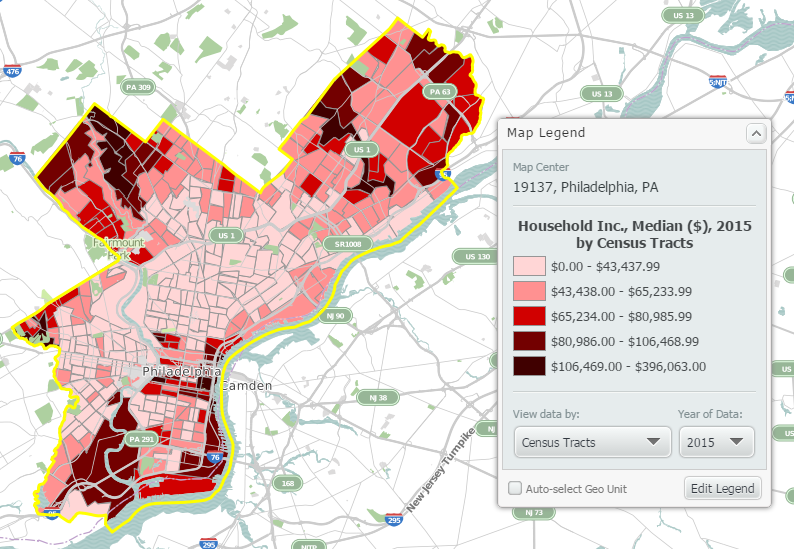
First, select a location and map a variable - in this example, we’ll use the city of Philadelphia and map the variable Median Household Income:
Next, open up the Businesses side panel, click on the Add Condition button, and type “Walmart” into the available text box (by default the dropdown will search by name). Select Add Condition once more and ensure the accompanying box is set to OR (not AND). In the second box, type in “Target Stores”. Picture below for reference:
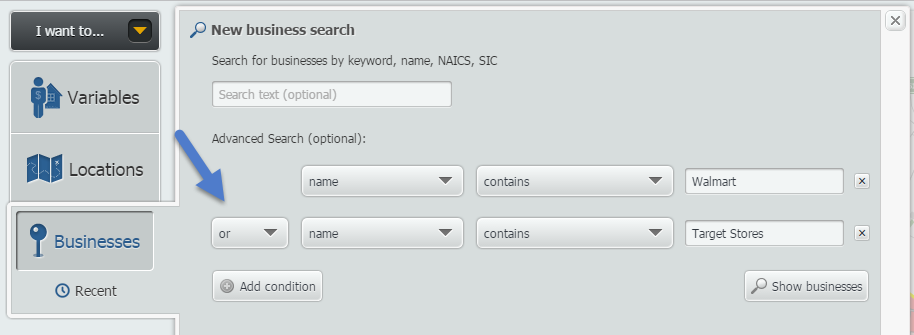
NOTE: You can search for up to 4 total conditions.
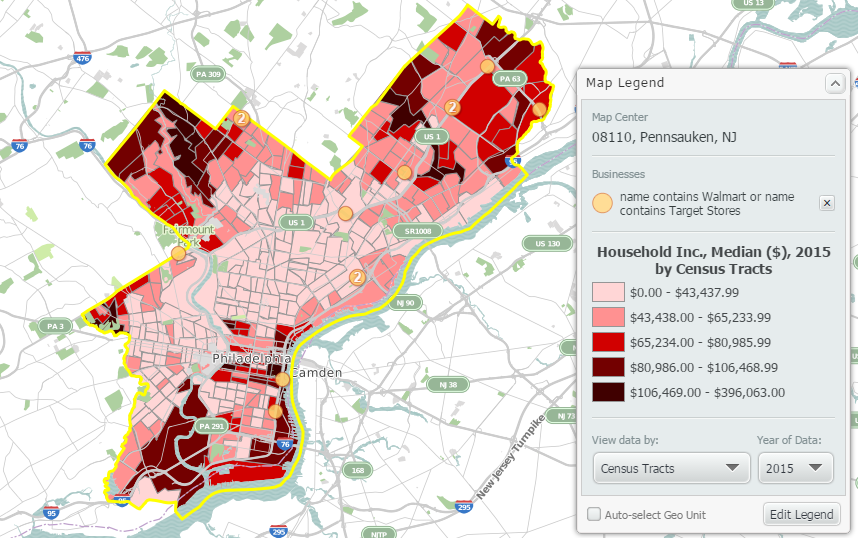
Click on Show Businesses to see Walmart and Target Stores added onto your map:
If you’d like to see your mapped out businesses on a report, select Actions > Make Report from Businesses:
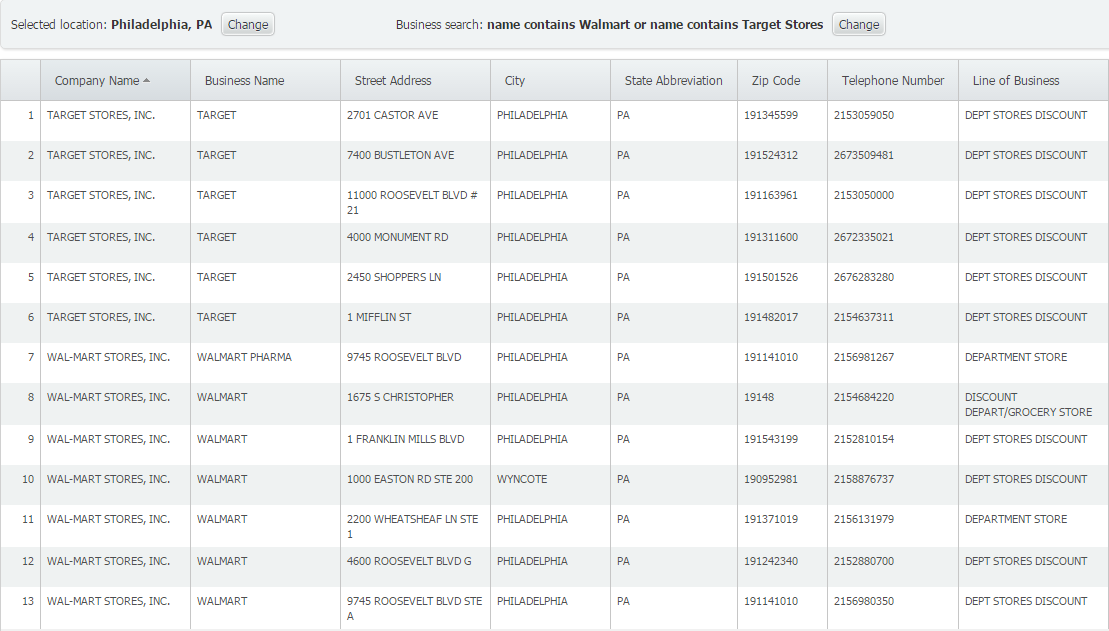
And there you have it! A list of Walmart and Target stores within the city of Philadelphia. You can export the map or the report from the Actions menu at the top right corner of the SimplyMap window.
We hope this report was helpful, feel free to let us know in the comments if there’s a write up you’d like to see.
More from SimplyAnalytics


Posted on May 26, 2016 by Admin
In this week’s report exploring SimplyMap data, we take a look at the variables available relative to internet search engines used. The source of this data will come from the SimmonsLOCAL...
Posted on Dec 15, 2014 by Admin
Visit the SimplyMap team at the ALA Midwinter Meeting in Chicago late January. We will be at booth #2824 offering product demonstrations, tips & tricks, and of course Ghirardelli Choc...
Posted on Apr 01, 2014 by Admin
Another fantastic series of workshops and events are planned at the SLA Conference on June 8-10th, 2014. Register now for networking and workshops throughout the week. Over 200 events are...
Posted on Jul 24, 2013 by Admin
Registration is now open for the North Carolina Library Association Conference! Visit us at the 60th biennial conference (Booth #45) through October 15 - 18, 2013. We have beautiful ca...
Posted on Apr 18, 2017 by Admin
We look forward to attending the Texas Library Association Conference this week in San Antonio and visiting with the library community. Stop by our new SimplyAnalytics booth (2029) and ta...
Posted on Feb 25, 2020 by Admin
SimplyAnalytics will be exhibiting at the PLA Conference, held this year at the Music City Center in Nashville, TN on February 26 - 28. Visit the team at Booth 1444 with your questions, f...
Posted on Nov 29, 2009 by Admin
Legal Information Alert, a monthly newsletter covering what's new in legal publications, databases and research techniques, published a review of SimplyMap in their April 2009 issue title...
Posted on Jun 21, 2019 by Admin
Come visit the SimplyAnalytics booth (#3010) at the upcoming ALA 2019 show in Washington, D.C.! Our team will be on hand offering quick demos of SimplyAnalytics, answering questions and s...
Posted on Sep 05, 2019 by Admin
We are pleased to be exhibiting again at the Charleston Library Conference, on Tuesday November 5th, 2019. The Vendor Showcase will be held in the Gaillard Center Grand Ballroom (95 Calho...
Posted on Feb 01, 2009 by Admin
Want to know the top 10 wealthiest ZIP codes in your state? How about the top 25 counties with the most elderly residents? Duke University students can now easily answer these questions a...