 Go up
Go up


Editing the Map Legend
Posted on Nov 10, 2017 by Admin
Welcome to this week’s SimplyAnalytics blog post. Today we’re going to take a closer look at the options available to you when editing the map legend. Let’s get started!
First, to start editing your map legend click the Edit button located on the legend itself. Below we’ll discuss what each option does in more detail:
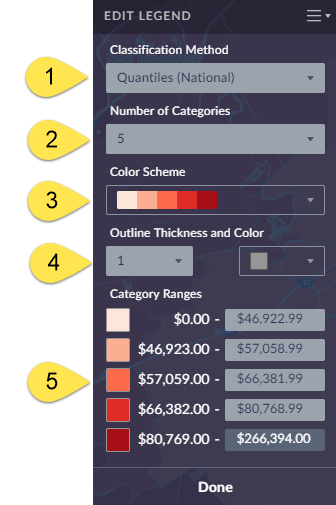
1) Classification Method - Determines the legend ranges for your map - you can choose between Quantiles (National), Quantiles (Local), Natural Breaks (Local), Natural Breaks (National), and Equal Intervals. TIP: By default maps are created using Quantiles National for any variable that you select - try switching to Quantiles Local to recalculate the legend ranges based on a sample of locations from the current map view. This can provide better local insight while also resulting in a more visually appealing map.
2.) Number of Categories - Determines how many legend ranges are available.
3.) Color Scheme - Choose from 9 color schemes to change the look of your map.
4.) Outline Thickness & Color - Allows you to change the outlines in your map - try changing the color and thickness to really alter the look and feel of your map.
5.) Category Ranges - You can select one of the available range boxes to enter your own value, and click on any of the associated colors to customize the color scheme!
Utilizing some of these color and boundary options available, you can create some unique and customized map designs that highlight key aspects of your research:
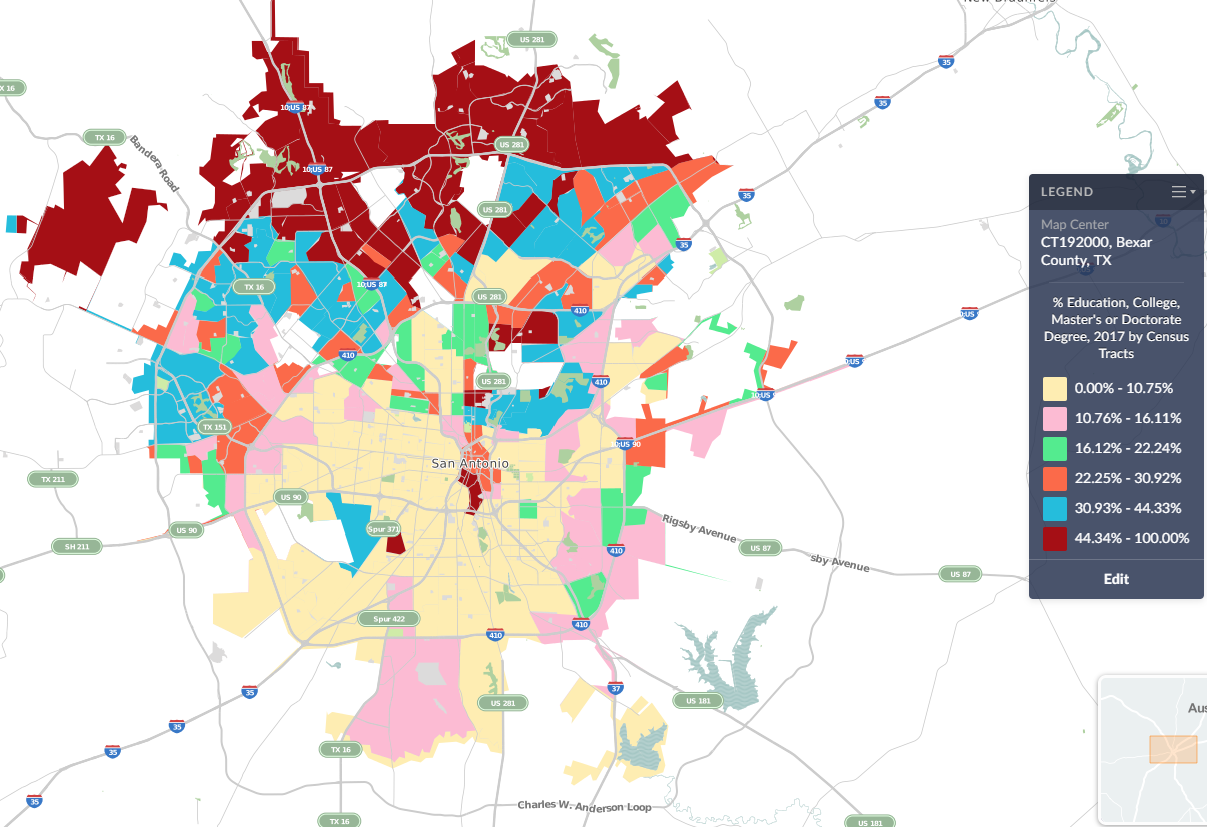
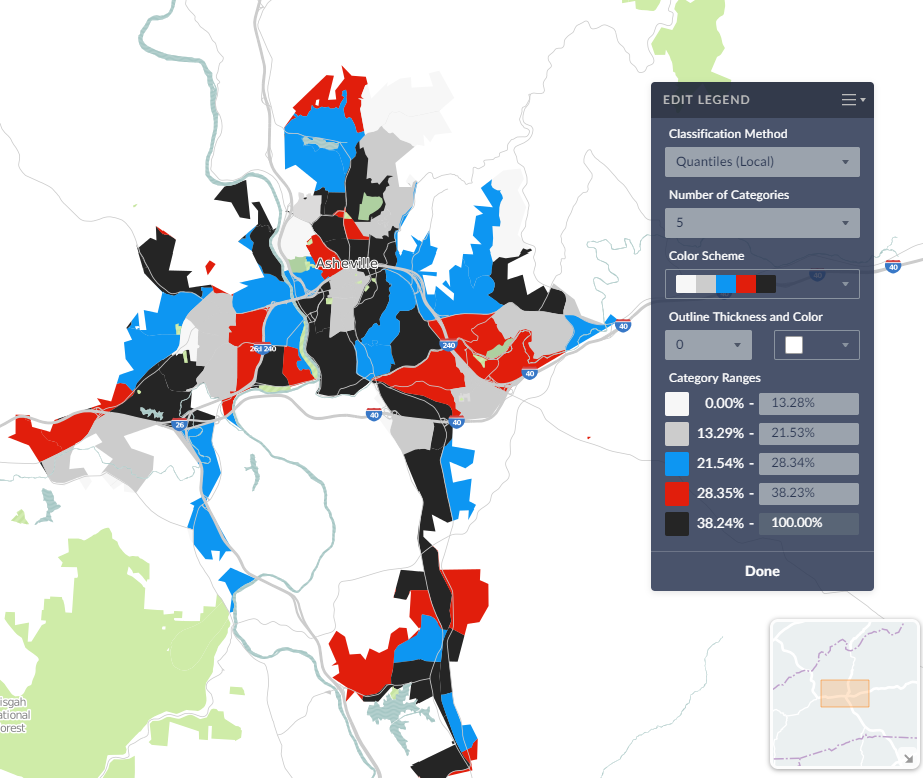
We hope this week’s entry has inspired you to explore the map legend a little more. Feel free to post a comment or tweet us your own unique map designs!
More from SimplyAnalytics


Posted on Nov 11, 2013 by Admin
Chad Boeninger, Business & Economics Subject Specialist at Ohio University Libraries has produced some excellent tutorial videos to help students learn how to analyze data and create ...
Posted on Feb 23, 2012 by Admin
Geographic Research, Inc. will be exhibiting at the Public Library Association (PLA) Conference. Visit us at Booth 2329 to learn more about SimplyMap and enter our raffle for a new com...
Posted on Mar 14, 2010 by Admin
The GRI team was honored to learn that SimplyMap was included in this year's Choice Outstanding Academic Title List, published in the January 2010 issue of Choice Magazine. This is a grea...
Posted on Jan 19, 2009 by Admin
The 2009 Midwinter Meeting will be held in Denver, CO, from Jan 23–28, 2009. http://www.ala.org/midwinter The exhibits will be held Jan 23–26, 2009 at the Colorado Convention Center,...
Posted on Sep 27, 2019 by Admin
Hello readers! This week we provide an in-depth response to a question asking about the legend classification methods in SimplyAnalytics. This response is now part of our Help Center: htt...
Posted on Mar 10, 2011 by Admin
The GRI team is looking forward to exhibiting at ACRL 2011 at the PA Convention Center in Philadelphia, March 30 - April 1, 2011. Every other year, ACRL offers its premier professional d...
Posted on Dec 15, 2014 by Admin
Visit the SimplyMap team at the ALA Midwinter Meeting in Chicago late January. We will be at booth #2824 offering product demonstrations, tips & tricks, and of course Ghirardelli Choc...
Posted on Jan 23, 2024 by Admin
We are excited to again make the trip to Los Angeles for SCELCapalooza 2024 hosted at Loyola Marymount University! Please drop by our table on Wednesday, Feb. 28th to learn more about Sim...
Posted on Apr 21, 2015 by Admin
In this week’s edition of exploring SimplyMap data, we spotlight the Consumer Buying Power® data package in SimplyMap. What is it? The Nielsen Consumer Buying Power® database incorporates...
Posted on Jun 07, 2011 by Admin
We will be exhibiting at the Special Library Association Annual Conference in Philadelphia and the American Library Association conference in New Orleans later this month. Come and visit ...