 Go up
Go up


SimplyMap Quick Tips
Posted on Apr 27, 2015 by Admin
In this week’s write up we want to share some quick tips and tricks that you might not yet know about in SimplyMap.
TIP #1
Did you know that you can share your work? SimplyMap allows you to quickly and easily share your work with other SimplyMap users. Here’s how:
Click on the drop down by the tab you’d like to share, and click SHARE
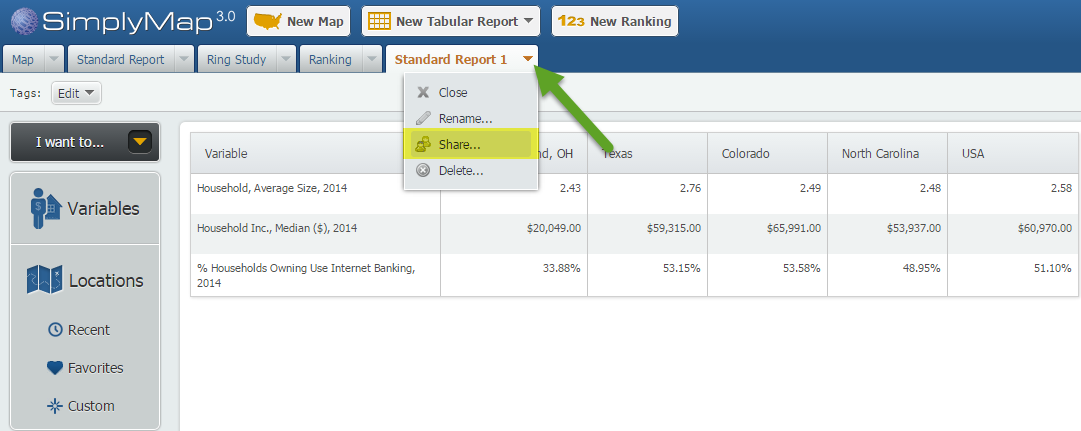
After selecting share, you will be provided with a customized URL.
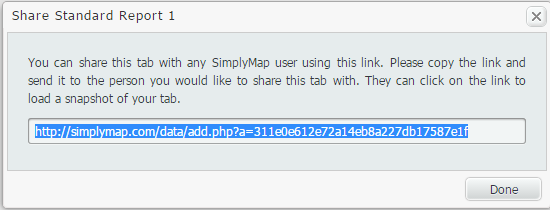
Copy and send this URL to another SimplyMap user. When the user clicks the link, they will be presented with the work you completed.
TIP #2
Accidentally closed out a tab, or trying to review some of your past work? No worries! In SimplyMap, closing out a report or map tab will not delete your work. In fact, your old work can be easily recovered and opened. Here’s how:
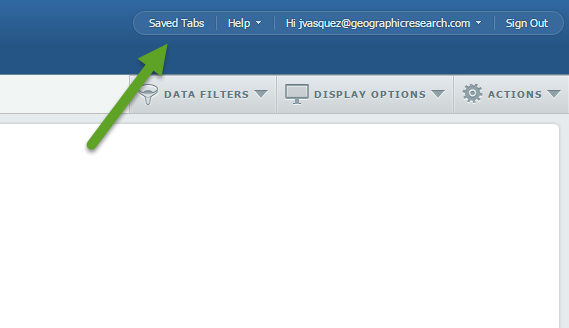
At the top right of SimplyMap, you’ll see a button for “Saved Tabs”.
Once selected, a dialog box will appear with your current tabs, and previously created reports/maps. Hover over the work in question, and select open. SimplyMap will reopen the selected report or map.
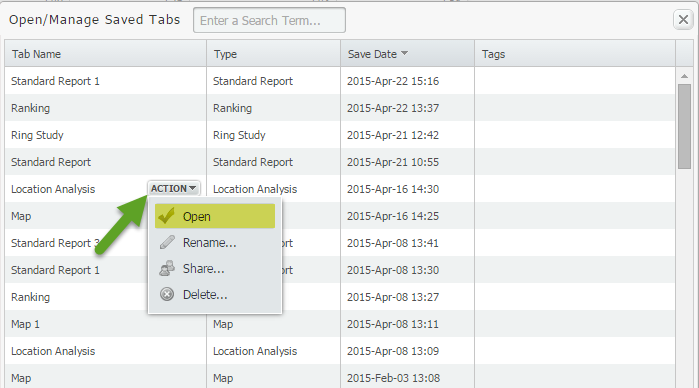
NOTE: If you select DELETE from a tab’s dropdown, your work will be permanently deleted and not stored in your Saved Tabs.
TIP #3
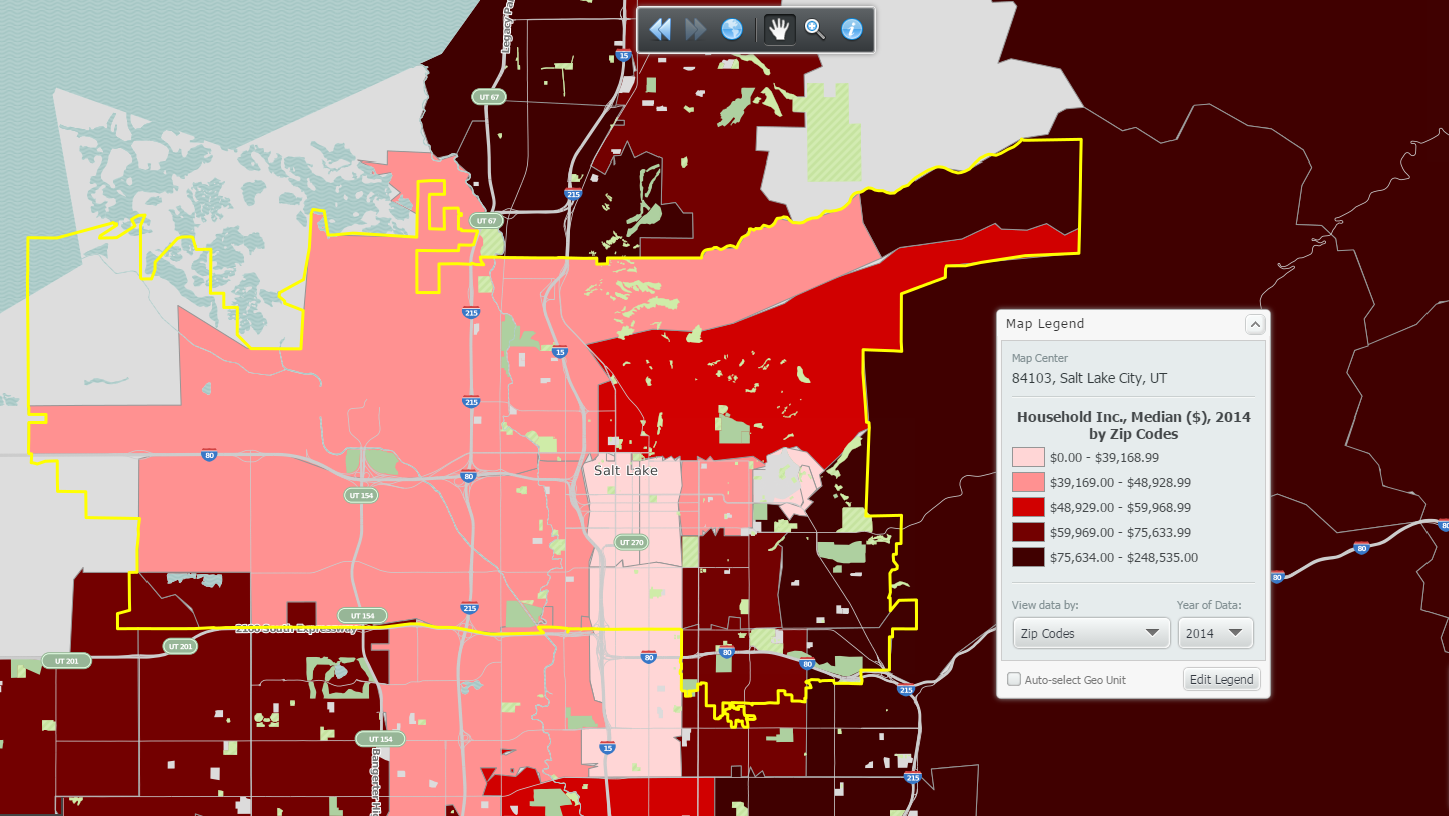
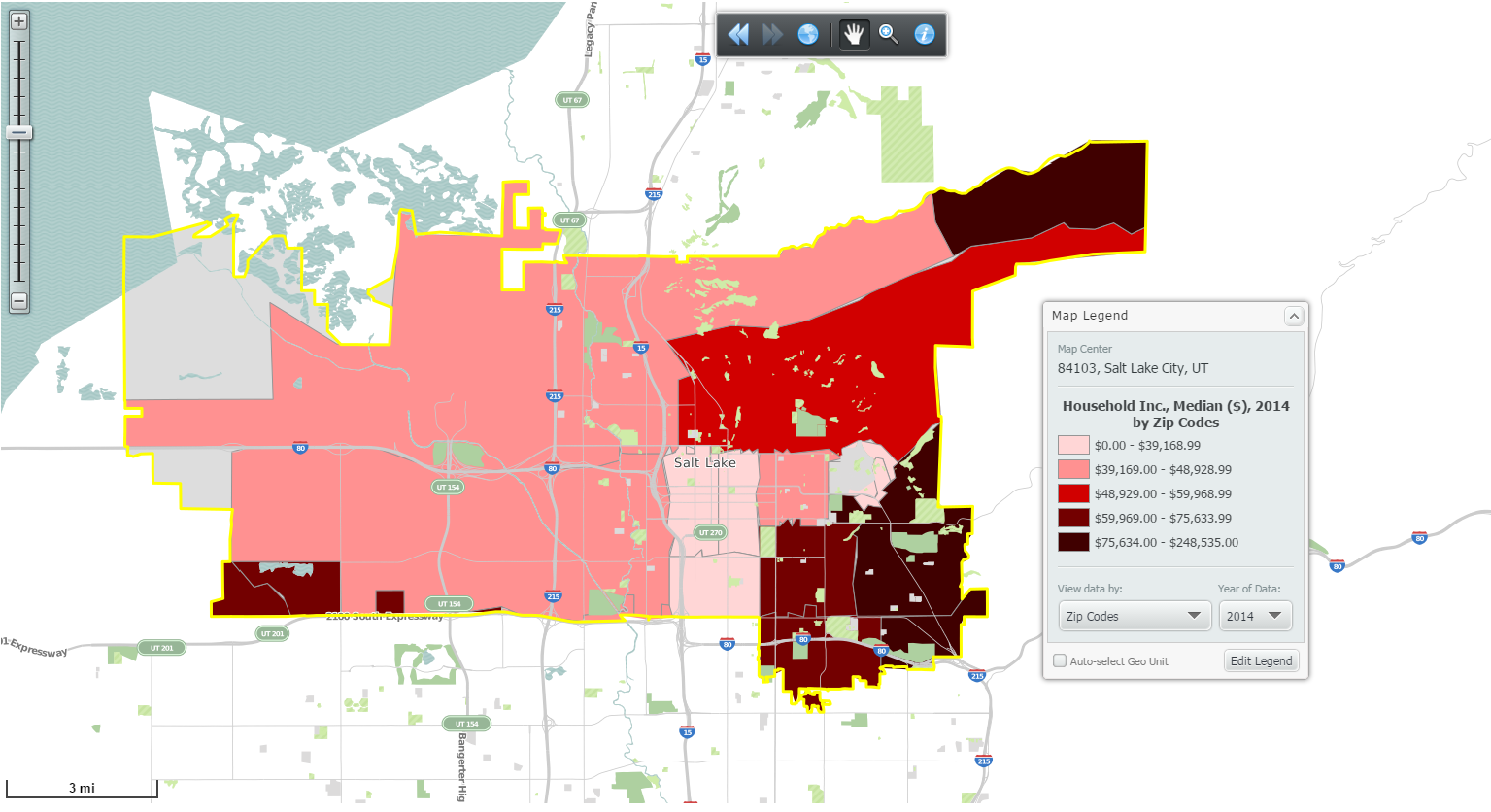
Don’t want to see colored data for the areas around your target location? Apply a location mask. Here’s a before and after shot:
Before:
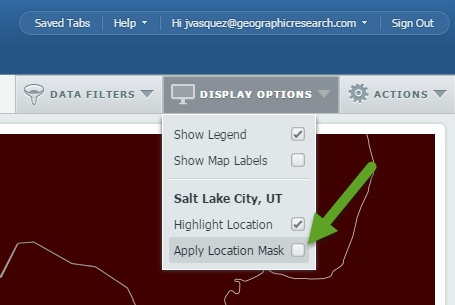
 Go to Display Options > Apply Location Mask:
After:
We hope that you were able to learn from one of these quick tips. Stay tuned for more tips and interesting reports.
Don't forget to follow us on Twitter and Like Us on Facebook!
More from SimplyAnalytics


Posted on Jun 08, 2023 by Admin
We are excited to announce Mansi Nishit Trivedi as the winner of the 2023 BRASS Student Travel Award sponsored by SimplyAnalytics! Mansi, a Master of Information student at Dalhousie, has...
Posted on Dec 30, 2009 by Admin
Skokie Public Library, in Skokie, IL has published a useful overview of SimplyMap on the Mike's Space blog on SkokieNet. The article is filled with examples of research questions that can...
Posted on Oct 26, 2018 by Admin
Welcome readers! This week we’ll take a look at how to browse for data by category in SimplyAnalytics. Browsing by Category is the default way of browsing for data in SimplyAnalytics. It ...
Posted on Jul 14, 2009 by Admin
Men's Health continues to utilize SimplyMap to identify and rank U.S. cities. This time they are studying "sports-obsessed citizenry," and here is how they did it: Our stat showdown began...
Posted on Feb 25, 2020 by Admin
SimplyAnalytics will be exhibiting at the PLA Conference, held this year at the Music City Center in Nashville, TN on February 26 - 28. Visit the team at Booth 1444 with your questions, f...
Posted on Sep 05, 2019 by Admin
We are pleased to be exhibiting again at the Charleston Library Conference, on Tuesday November 5th, 2019. The Vendor Showcase will be held in the Gaillard Center Grand Ballroom (95 Calho...
Posted on Oct 23, 2009 by Admin
SimplyMap was highlighted in the Wake County, NC Public Library Business Blog today as a valuable tool for business planning. Wake County has access to SimplyMap through NC LIVE, a statew...
Posted on Oct 24, 2014 by Admin
At times it can be useful to apply filters to the data in SimplyMap as a means of focusing on specific characteristics, or preforming a query. For example, a map showing household income ...
Posted on Mar 04, 2014 by Admin
March 11-15 Indianapolis, Indiana The Public Library Association is prepared for another week of events, workshops and special appearances for librarians and authors. Visit our exh...
Posted on Feb 17, 2015 by Admin
Our recent trip to Chicago exhibiting at the ALA Midwinter Meeting inspired this week’s SimplyMap blog post. Today, we’re going to demonstrate how to use business points in SimplyMap to a...