 Go up
Go up


Pizza Restaurants in Chicago's Loop
Posted on Feb 17, 2015 by Admin
Our recent trip to Chicago exhibiting at the ALA Midwinter Meeting inspired this week’s SimplyMap blog post. Today, we’re going to demonstrate how to use business points in SimplyMap to answer a basic question that a person opening a business might ask - what’s the competition like in the area?
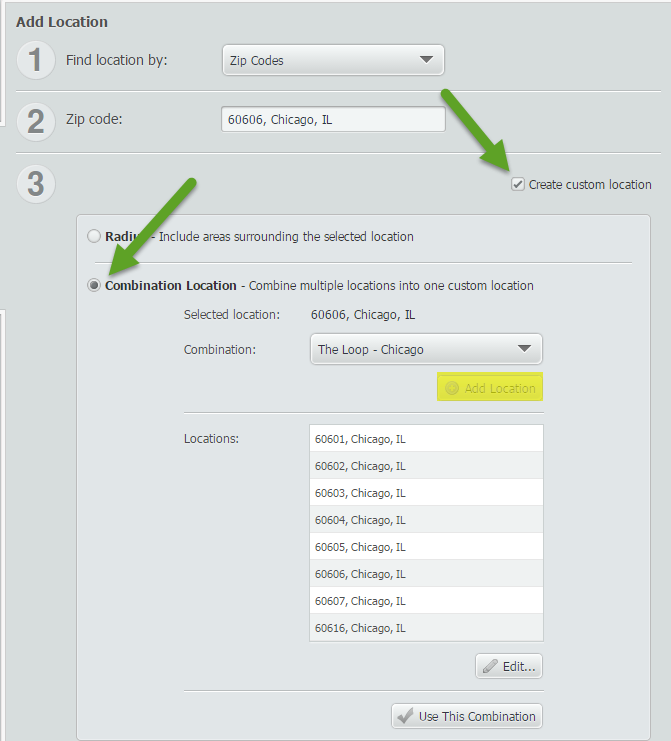
To emulate a real world scenario, we only want to look at a specific area. In this example, our location will be “The Loop” in Chicago. The Loop in Chicago is composed of these ZIP codes: 60601, 60602, 60603, 60604, and parts of 60605, 60606, 60607, and 60616.
First, create a custom location that is composed of the aforementioned ZIP codes.
 Next, select a pertinent variable for your map. In this example, we will use: Food away from home (Household Average), 2014 to identify the areas where people tend to eat out for meals.
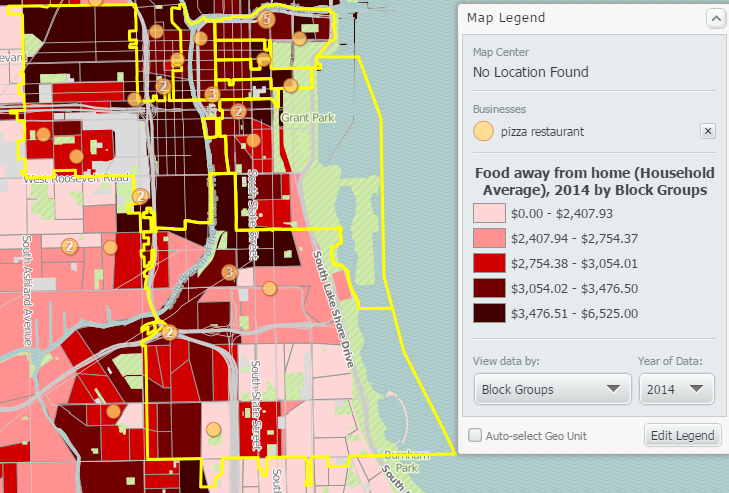
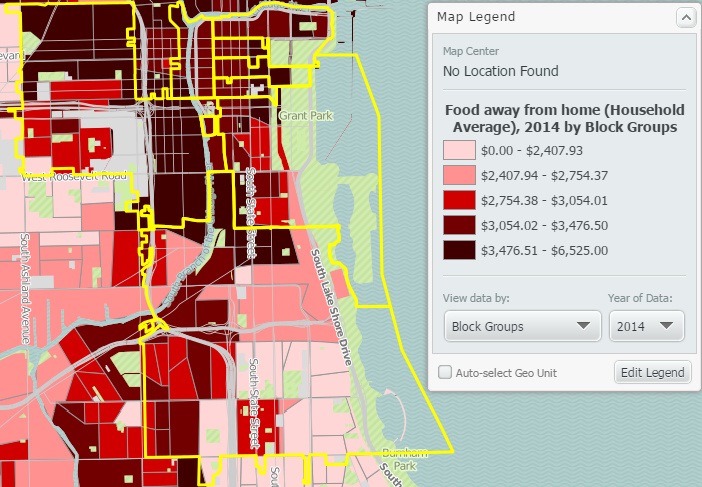 Now that you have a map showing the custom area mapped with the chosen variable, you can add the relevant business points.
Select “Businesses” from the left panel and type in the search “pizza restaurant”. Select “show businesses” and SimplyMap will place a point on the address of each relevant business.
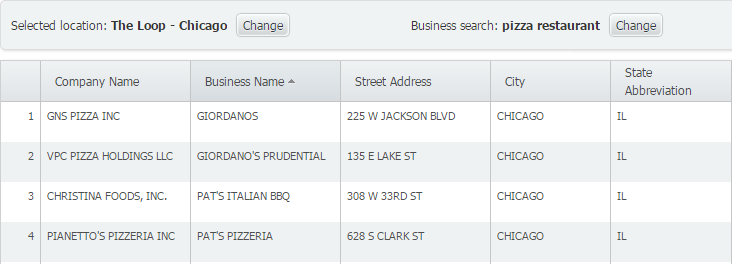
 Lastly, to see a list of these business points in a report, select “Actions” from the top right of SimplyMap and click “Make Report from Businesses”. Here’s a sample of what to expect:
We hope you enjoyed this week’s SimplyMap report. Stay tuned for more interesting reports and tips!
Have you already entered for your chance to win an iPad or Kindle Fire? We will be holding the drawing on April 17, 2015. To enter, simply follow us on Twitter and Like Us on Facebook to get your name in consideration.
More from SimplyAnalytics


Posted on Jan 29, 2016 by Admin
In a previous blog entry, we highlighted the benefits of having multiple years of data available for the same variable. This allows users to identify trends over time. Keeping with the sa...
Posted on Dec 16, 2015 by Admin
Visit the SimplyMap team at the ALA Midwinter Meeting 2016 in Boston. We will be at booth #1913 offering product demonstrations, tips & tricks, and of course Ghirardelli Chocolate! Ex...
Posted on May 17, 2016 by Admin
This week’s SimplyMap report is a quick reader challenge. Can you guess what the map of the United States below is depicting? Keep in mind the legend colors - lighter is less, and darker ...
Posted on Dec 11, 2015 by Admin
With the final week of the college football season in the books, and bowl game selections having just taken place, we wanted to search within SimplyMap to see if any data pertaining to co...
Posted on Feb 25, 2020 by Admin
SimplyAnalytics will be exhibiting at the PLA Conference, held this year at the Music City Center in Nashville, TN on February 26 - 28. Visit the team at Booth 1444 with your questions, f...
Posted on Feb 19, 2016 by Admin
Drop by booth #857 at PLA 2016 to meet the SimplyMap team and learn more about the features and functions behind SimplyMap. Have a Ghirardelli Chocolate while we present SimplyMap and off...
Posted on Sep 15, 2025 by Admin
SimplyAnalytics will be attending the upcoming NCLA Conference in Winston-Salem October 14-17!
Posted on Apr 30, 2024 by Admin
Congratulations to Brandyn Whitaker as the recipient of the 2024 BRASS Student Travel Award! Brandyn is a Library Services Associate in the Workforce and Economic Development department a...
Posted on Jun 07, 2011 by Admin
We will be exhibiting at the Special Library Association Annual Conference in Philadelphia and the American Library Association conference in New Orleans later this month. Come and visit ...
Posted on Sep 10, 2010 by Admin
SimplyMap Canada is now available at several Canadian institutions, including York University and Ryerson University, in Toronto. SimplyMap Canada has all of the great features included i...