 Go up
Go up


SimplyMap Tip: Creating a Custom Location
Posted on Dec 15, 2014 by Admin
Custom Locations allow SimplyMap users to combine several locations into one larger region. For example, you can use this feature to combine three adjacent ZIP Codes to create your study area.
In this example, we will take a look at neighborhoods (at the block group level) surrounding a university in Chicago.
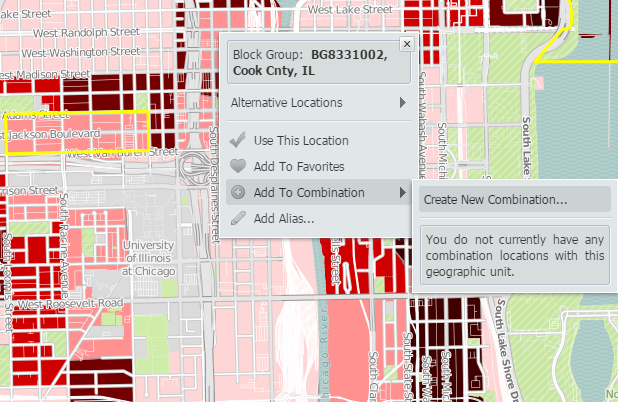
To get started creating your custom location from the map, use the i-tool and select a location. There will be a drop down to “Add to Combination” with an option to “Create New Combination”.
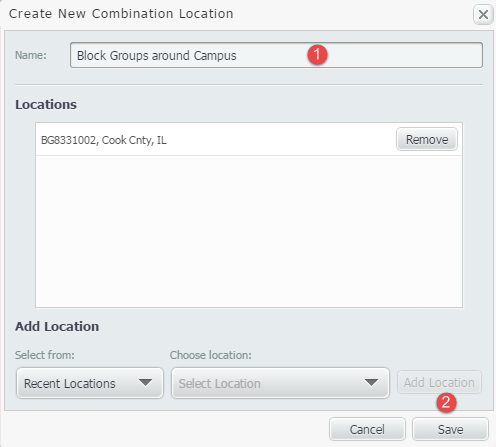
This will open up a box to create your combination. Enter a name, and Save.
Once saved, your combination location will be available to have additional locations added to it. To add more locations, use the i-tool over a location once more, and select “Add to Combination” while choosing the combination that was just created.
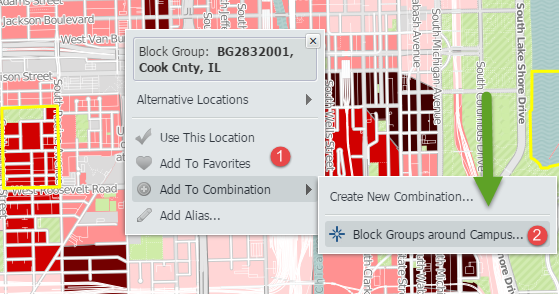
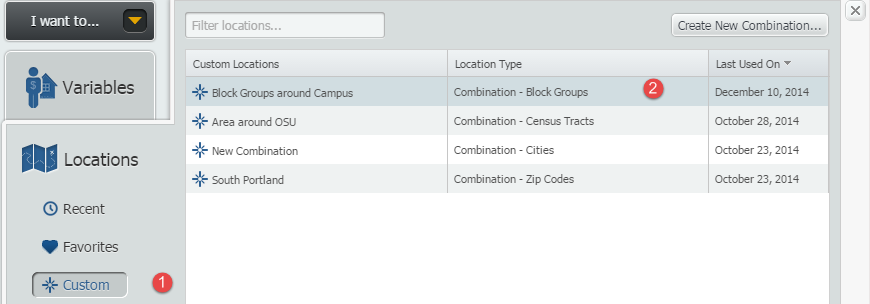
Repeat this process with all locations you would like to include. Selecting the locations panel, and going to “Custom” will allow you to access your new location.
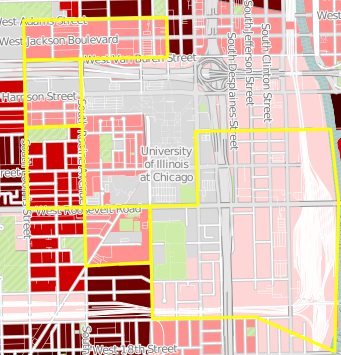
Below is a map representing the new custom location.
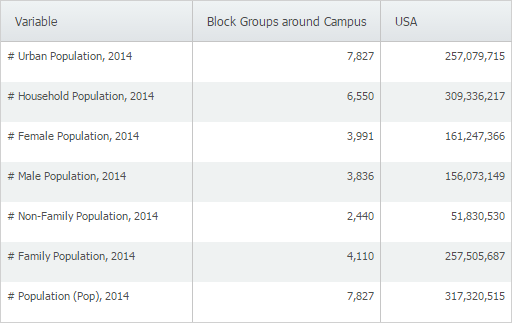
One of the additional features of creating a custom location, is that this location can be utilized throughout your reports. SimplyMap will combine the data from each individual location, and present the total for the combined custom location.
Method #2
The second method of creating a custom combination does not require the user to have the location in a recent or favorites, as described above.
1. Go to locations, and select your geography.
2. Check the box for Custom Location, as shown below:
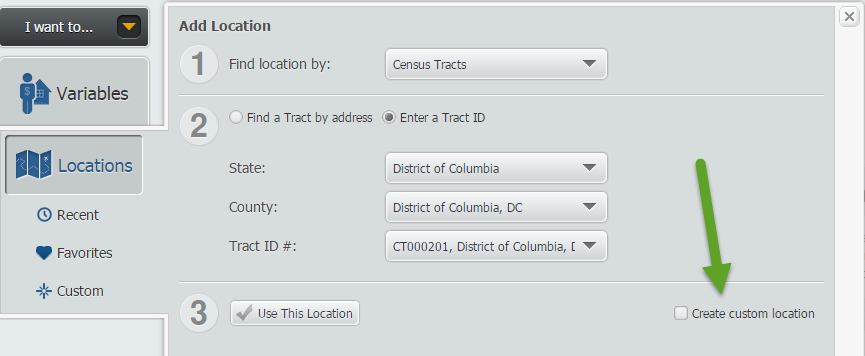
3. Select "Combination Location" (by default the Radius Location will be checked)
4. If you don't already have a custom area, select "Create Combination" and give the target area a name, as shown below:
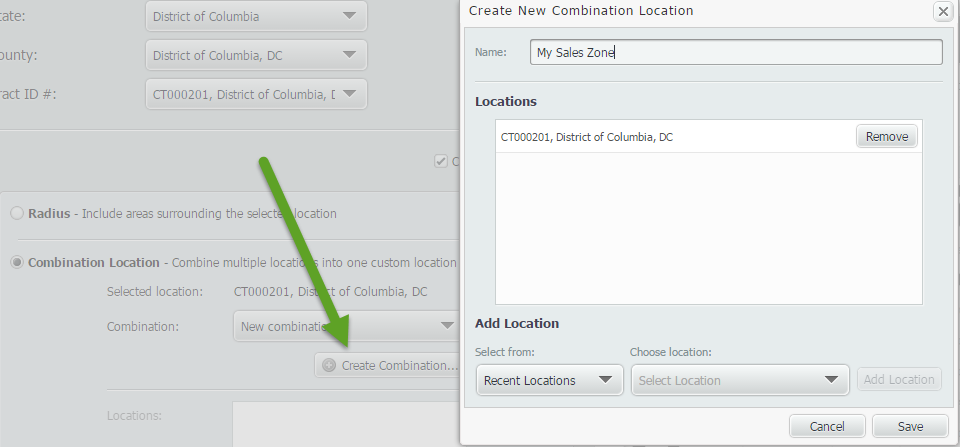
5. Save
6. Now you can select the drop down of locations and add them into your new custom combination that you created.
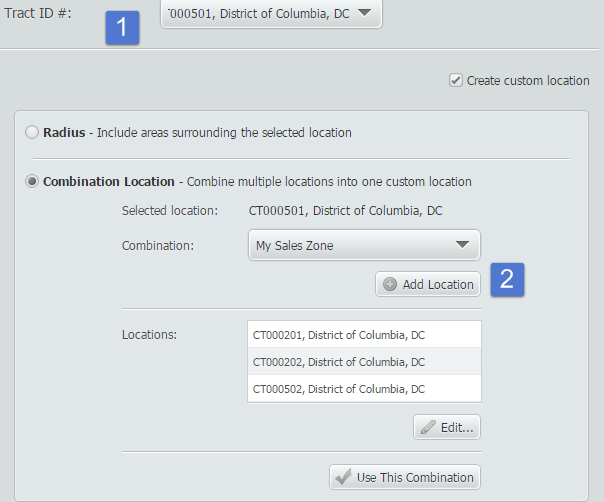
When you're ready to use your new location, select "Use This Combination"
Stay tuned for more SimplyMap tips and tricks! And don’t forget to follow us on Twitter @SimplyMap.
More from SimplyAnalytics


Posted on Nov 04, 2013 by Admin
SimplyMap 3.0 is here, and uses the latest technology to provide better performance, improved reliability, and powerful new features. There are many improvements designed to make it easie...
Posted on Apr 28, 2016 by Admin
In this week’s SimplyMap report we’ll take a look at one of our newer data packages offered, P$YCLE® by Nielsen. P$YCLE® is a segmentation system that evaluates consumers using key demogr...
Posted on Jun 21, 2019 by Admin
Come visit the SimplyAnalytics booth (#3010) at the upcoming ALA 2019 show in Washington, D.C.! Our team will be on hand offering quick demos of SimplyAnalytics, answering questions and s...
Posted on May 24, 2023 by Admin
SimplyAnalytics is excited to attend. Swing by booth 1733 for a brief demo, and discover how our user-friendly demographics, business, health & marketing data analytics and visualizat...
Posted on May 06, 2013 by Admin
The GRI team is looking forward to exhibiting at SLA 2013 at the San Diego Convention Center, June 9th through the 11th. The Special Libraries Association (SLA) is a nonprofit global orga...
Posted on May 15, 2015 by Admin
In this week’s SimplyMap report, we want to share with you the many options available when exporting maps in SimplyMap. In SimplyMap, when a user selects Export Map Image from the Actions...
Posted on Sep 15, 2025 by Admin
SimplyAnalytics will be attending the upcoming NCLA Conference in Winston-Salem October 14-17!
Posted on Sep 05, 2019 by Admin
We are pleased to be exhibiting again at the Charleston Library Conference, on Tuesday November 5th, 2019. The Vendor Showcase will be held in the Gaillard Center Grand Ballroom (95 Calho...
Posted on Aug 30, 2009 by Admin
Jeff Zaslow, Wall Street Journal columnist and co-author of the The Last Lecture, will speak at the Orlando, FL Public Library on Friday, September 11 at 7 p.m. Zaslow helped the late Ran...