 Go up
Go up


Exploring SimplyMap Data: Life Stage Clusters
Posted on Aug 20, 2015 by Admin
Is there a specific age group and income bracket you are specifically interested in researching for a target location? Our Life Stages module has the information you need. Life Stages, by EASI is a premium data set available for trial or purchase to all SimplyMap subscribers. In this brief write up, we’ll take a look at some of the options available within this data package.
The Life Stages module is broken down into three folders:
Young Households - Very Young <25 and Young 25-34
Middle Age Households - Middle Age 35-44 and Late Middle Age 45-54
Older Households - Nearly Senior 55-64, Senior 65-74 and Oldest 75+
Each of these folders is further broken down by family types and income.The income data has three tiers: lower income, moderate income and higher income. Let’s get started with a demonstration.
Scenario: You want to analyze the city of Chicago by Life Stage clusters to identify high income, non-family households (young, middle age and older).
Step 1: Create a Location Analysis Report, and use the city of Chicago as your location.
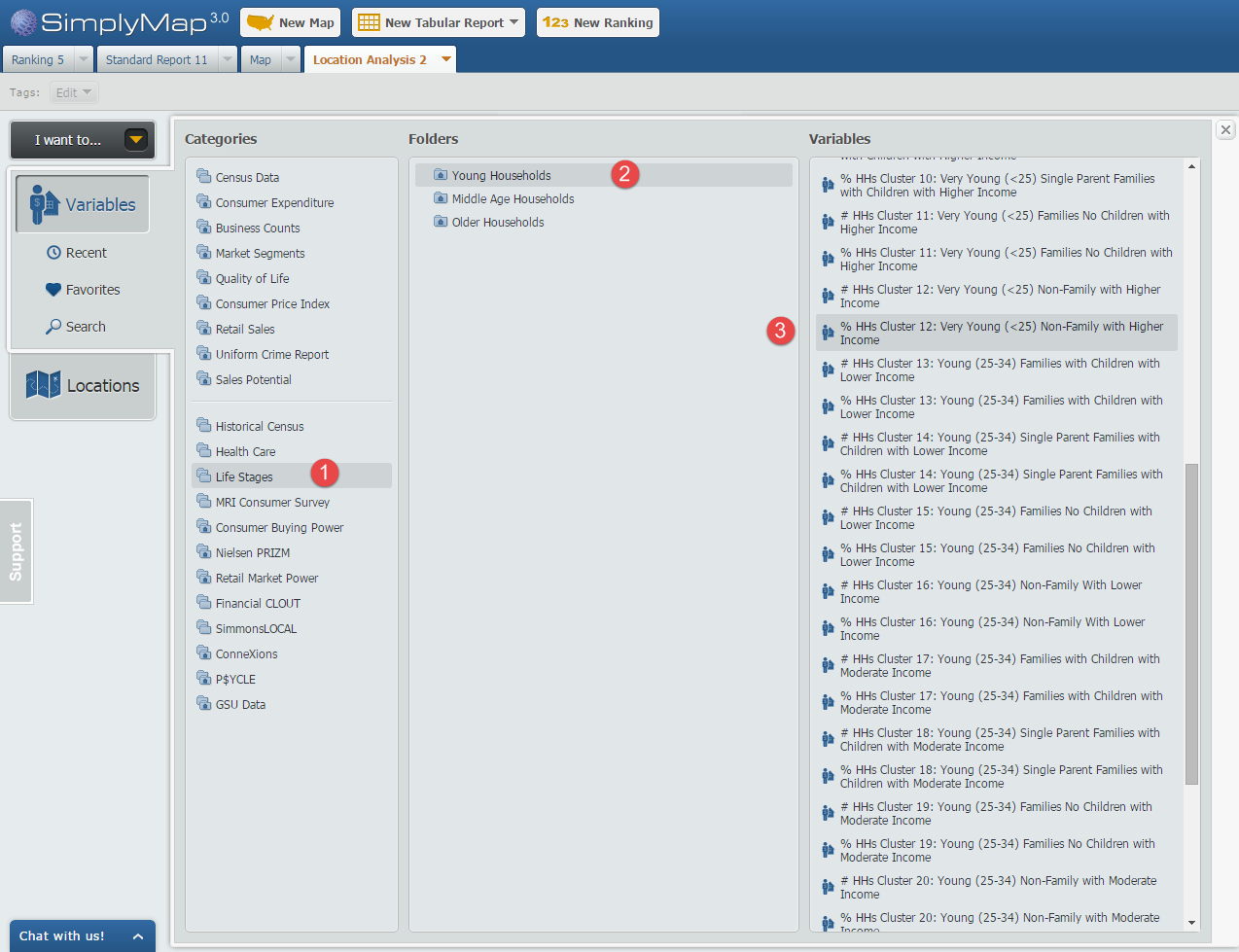
Step 2: Open the Variables Panel and navigate to Life Stages and through each household folder, selecting the variables that meet our criteria, such as: % HHs Cluster 12: Very Young (<25) Non-Family with Higher Income, 2014. Image below for reference.
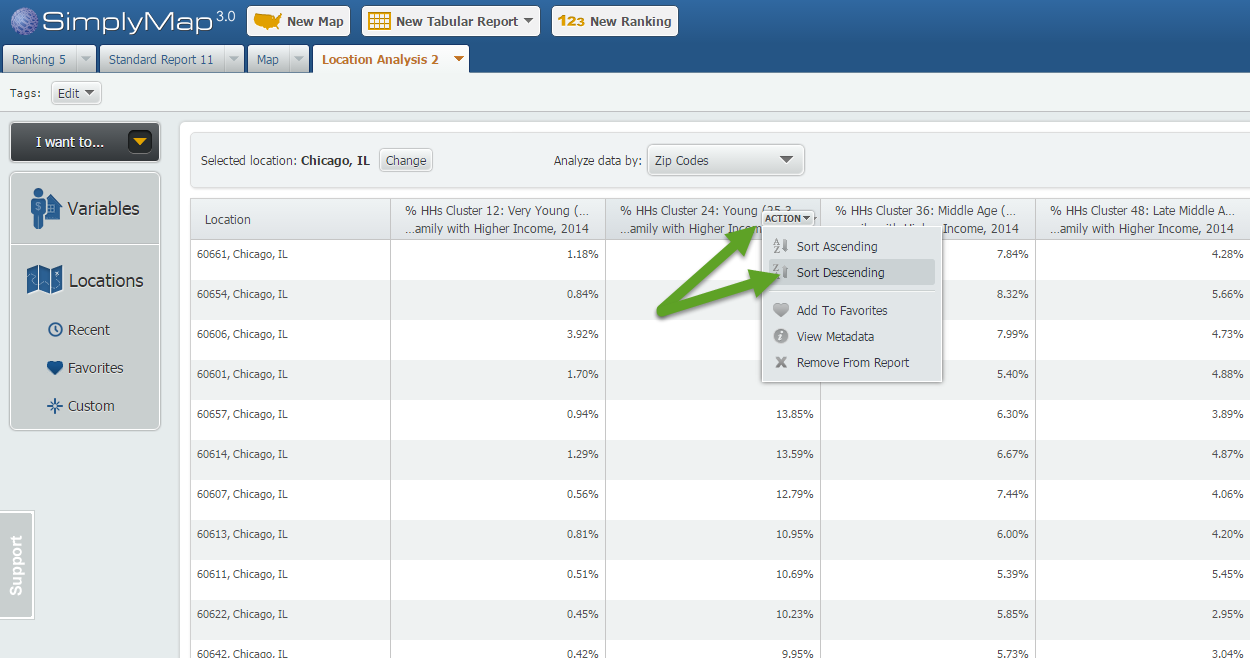
Step 3: Hover over each variable in your report and select “Sort Descending”. This will effectively rank your Chicago ZIP Codes by that variable allowing you to see the ZIP Codes where each selected variable is most represented.
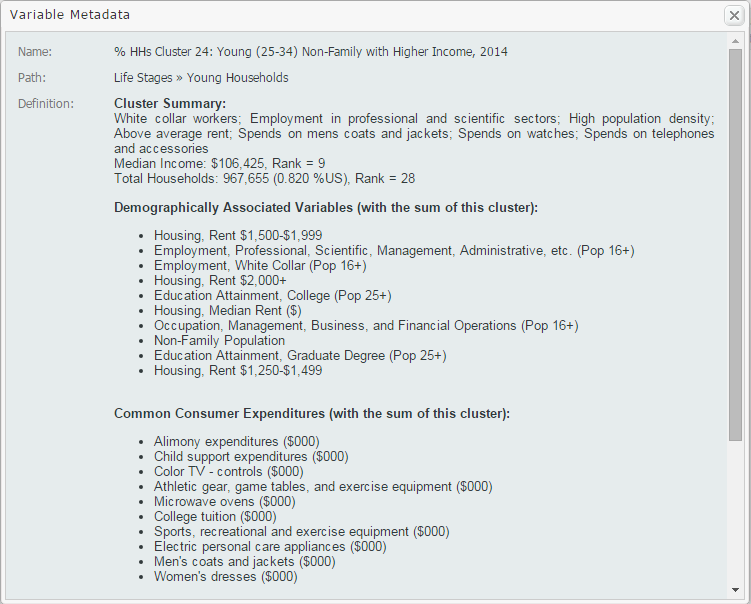
Tip: To gather more information on your variables, such as a definition and summary, select View Metadata from the dropdown that appears when hovering over the variable. Sample shown below:
We hope you enjoyed this week’s feature on the Life Stages data module. If you feel this data package could be useful at your institution, send an email to support@geographicresearch.com We would be happy to set up a free temporary trial.
Stay tuned for more!
More from SimplyAnalytics


Posted on Aug 26, 2015 by Admin
Most people in the United States could probably guess which cities are popular amongst tourists - Los Angeles and New York. But can you guess how much money is spent in novelty and souven...
Posted on May 06, 2013 by Admin
We will be exhibiting at ALA 2013 at McCormick Place in Chicago, IL, June 28-July 1. The ALA Annual Conference programs, updates, conversations, and other events cover all of the key issu...
Posted on Jan 18, 2008 by Admin
The BRASS Business Reference Sources Committee of Reference & User Services Quarterly (RUSA) selected SimplyMap as one of the Outstanding Business Reference Sources for 2007. Excerpt...
Posted on Sep 05, 2019 by Admin
SimplyAnalytics will be exhibiting at the biennial North Carolina Library Association conference, to be held this year at the Winston-Salem Benton Convention Center. If you are attending,...
Posted on Jan 23, 2015 by Admin
SimplyMap offers a total of 5 unique types of reports: Standard Report, Ranking Report, Business Report, Ring Study, and Location Analysis. This brief write up will define what each repor...
Posted on Sep 21, 2009 by Admin
The North Carolina Library Association will hold its annual conference in Greenville, NC at the Greenville Convention Center from October 6-8, 2009. Geographic Research, Inc. will be exhi...
Posted on Dec 15, 2014 by Admin
Custom Locations allow SimplyMap users to combine several locations into one larger region. For example, you can use this feature to combine three adjacent ZIP Codes to create your study ...
Posted on May 10, 2016 by Admin
One benefit of data and applications like SimplyMap is the ability to visualize information. In this week’s report, we’ll take a quick look at some branding preferences in contiguous Amer...
Posted on Oct 12, 2010 by Admin
NC LIVE, a member-driven library service organization dedicated to providing online information services that support education, enhance statewide economic development, and increase qu...
Posted on Mar 09, 2010 by Admin
The GRI team will be exhibiting at the 2010 Public Library Association conference later this month at the Oregon Convention Center in Portland, OR. The PLA National Conference is the prem...