 Go up
Go up


Thanksgiving Data - Macy’s Parade
Posted on Dec 03, 2015 by Admin
With the Thanksgiving holiday last week, we decided to take a quick look into SimplyMap to see what pertinent variables are available for analysis.
First, open the Variables panel and click on Search. Type in “Thanksgiving” in the available box.
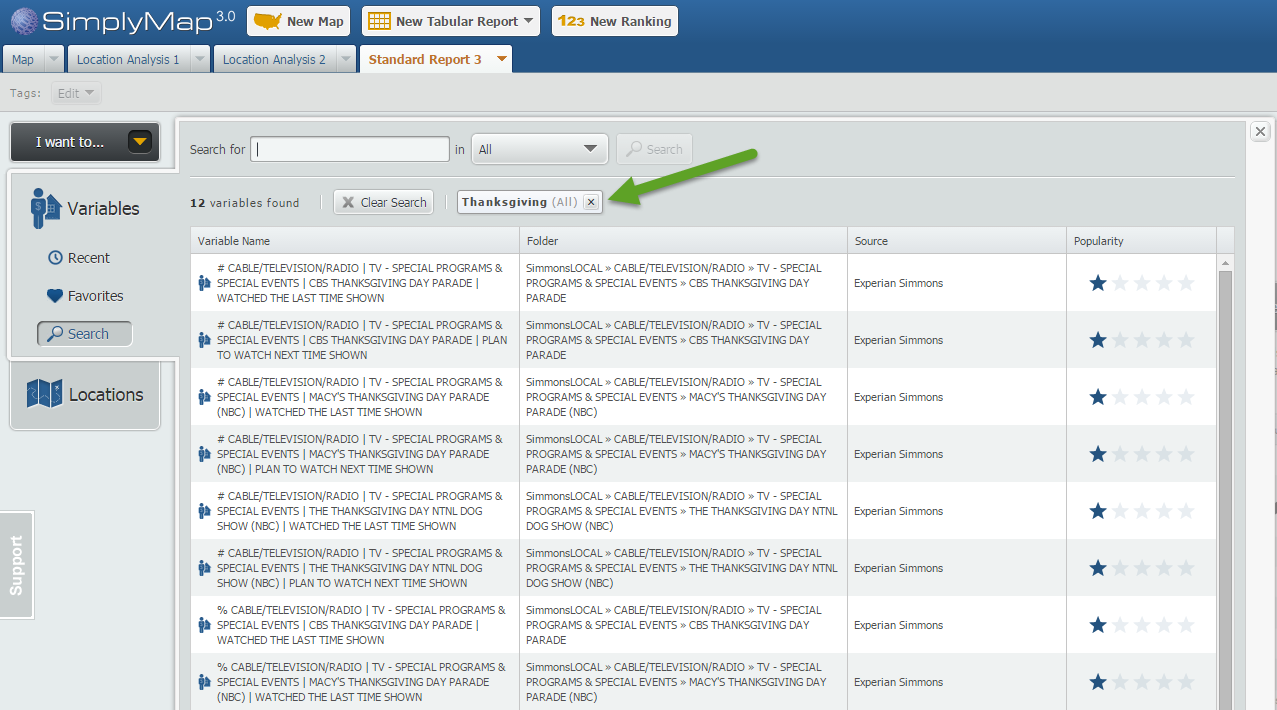
The results display a total of 12 variables related to the keyword ‘Thanksgiving’.For fun, we also searched the keyword: turkey. Care to take a guess how many turkey related variables are in SimplyMap?
If you guessed 122, you’re right! There is a grand total of 122 variables related to the word ‘turkey’, ranging from:
% Households Traveling - Foreign Travel (Including Alaska & Hawaii): Countries or destinations visited: Turkey, 2014
to variables such as:
% Households Using - Chicken & Turkey Fresh Or Frozen: Used in last 6 months, 2014
Interesting! Now returning to our original Thanksgiving search we decided to find out the estimated expected number of viewers for this year’s Macy’s Thanksgiving Parade.
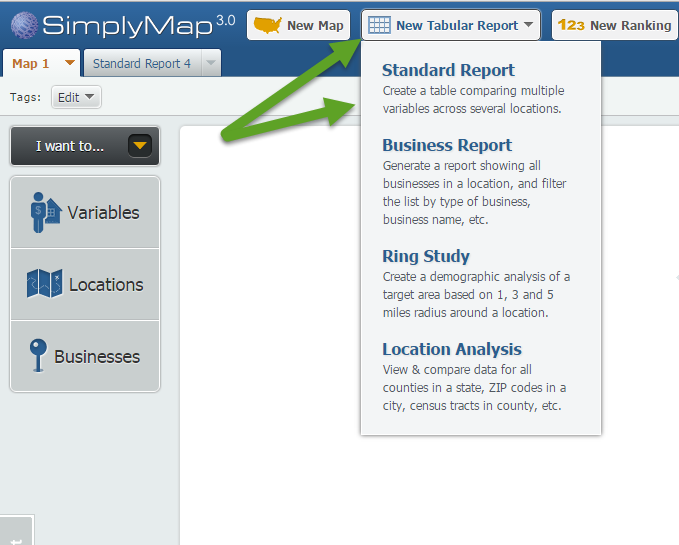
Click on New Tabular Report > Standard Report
The Thanksgiving variables are located in the SimmonsLOCAL folder. The SimmonsLOCAL data set is a premium add on module available for trial or purchase and includes over 60,000 data variables.
Navigate through this path: SimmonsLOCAL » CABLE/TELEVISION/RADIO » TV - SPECIAL PROGRAMS & SPECIAL EVENTS » MACY'S THANKSGIVING DAY PARADE (NBC)
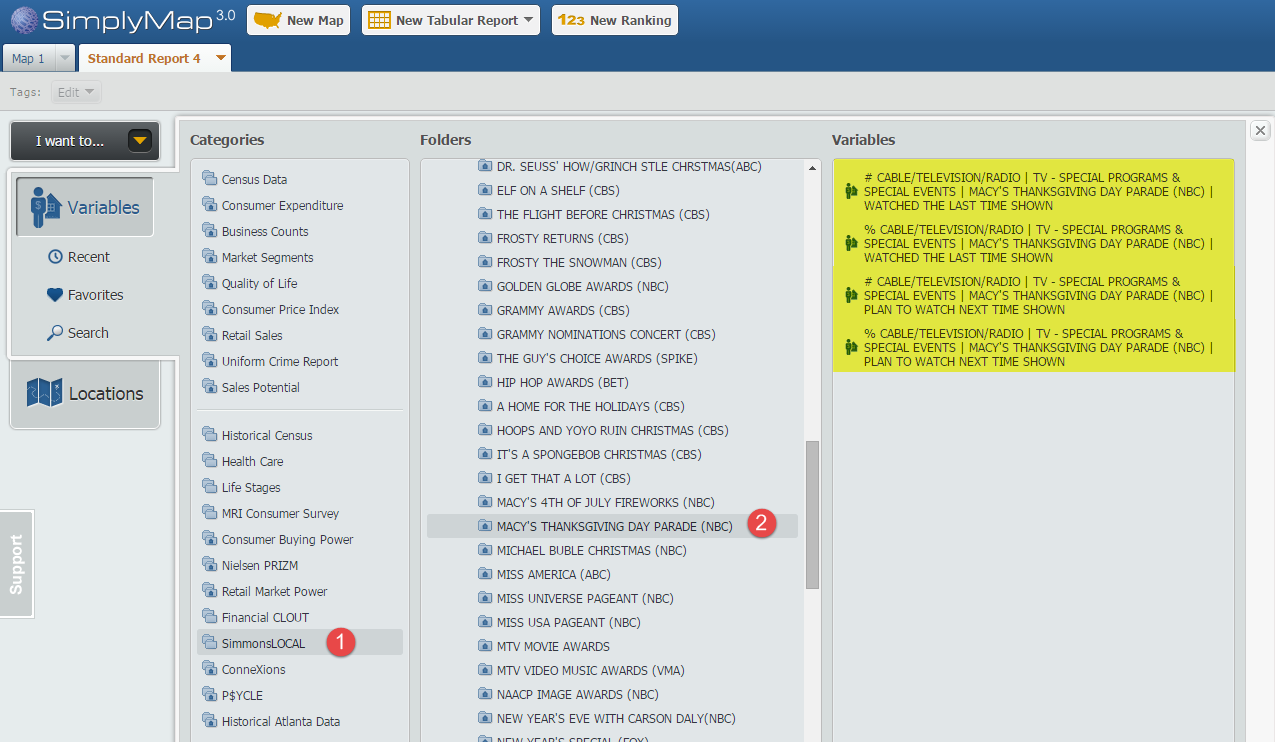
Choose the four variables within the folder, and close out the Variables panel to generate your report for the United States.
Results:
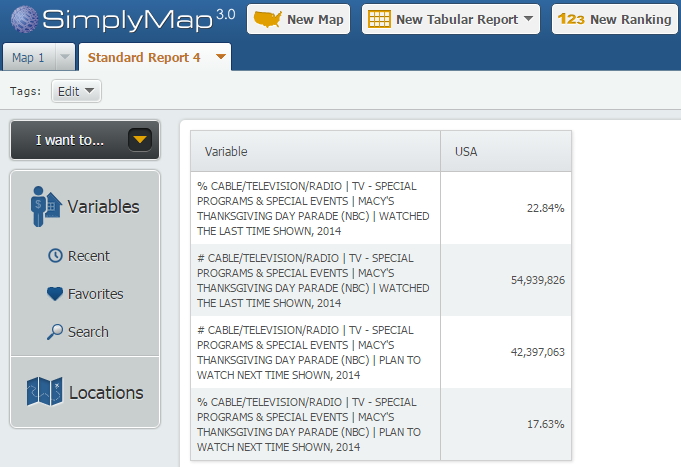
It’s estimated that over 54,000,000 people in the US responded that they had seen the Macy’s Thanksgiving Parade in 2014, with over 42,000,000 responding that they plan to watch the next event!
We hope you enjoyed this week’s report. Stay tuned for more SimplyMap tips and reports.
More from SimplyAnalytics


Posted on Sep 05, 2019 by Admin
We are pleased to be exhibiting again at the Charleston Library Conference, on Tuesday November 5th, 2019. The Vendor Showcase will be held in the Gaillard Center Grand Ballroom (95 Calho...
Posted on Feb 13, 2015 by Admin
In this week’s report exploring SimplyMap data, we want to find out where America’s remote workers reside. To find this, we can tap into the Census data in SimplyMap. The specific variabl...
Posted on Aug 02, 2016 by Admin
Did you know that you can use SimplyMap to identify which make and model of vehicle is most prevalent within any location in the United States? In this week’s SimplyMap report, we’ll take...
Posted on Jan 07, 2015 by Admin
In this week’s exploration of SimplyMap data, we set out to find which cities in the United States have the highest percentage of older houses. To determine this, we used the variable “% ...
Posted on Nov 24, 2014 by Admin
In this week’s report, we research America’s most educated cities. SimplyMap contains a total of 111 educational attainment variables, including general population and by race. We used th...
Posted on Apr 10, 2015 by Admin
In this week’s SimplyMap report, we explore one of the newer datasets available: Retail Market Power®. What is it? In short, the Retail Market Power® dataset helps users identify opportun...
Posted on Sep 09, 2015 by Admin
This week’s SimplyMap report will set out to discover what America’s favorite type of music is. We will use data within the premium data package, SimmonsLOCAL to answer the question. The ...
Posted on Nov 28, 2012 by Admin
Come visit the SimplyMap team at the ALA Midwinter Meeting, January 25 - 28, 2013 in Seattle, WA. We will be in Booth 1307, and as always we look forward to meeting with customers new and...
Posted on Sep 15, 2016 by Admin
While creating a radius location is the fastest and easiest method for creating a custom location, there may be situations that require a more specific and targeted locale. Let’s say for ...
Posted on Dec 08, 2017 by Admin
Good afternoon, readers! This week we’re going to talk about project management in SimplyAnalytics and how to best take advantage of it. Why are projects needed? Many users have multiple...