 Go up
Go up


Quick Tips: Mapping
Posted on Mar 22, 2016 by Admin
Inspired by some recent support desk questions, this week’s SimplyMap report will provide some useful tips and tricks to help make the most out of your maps. Let’s get started!
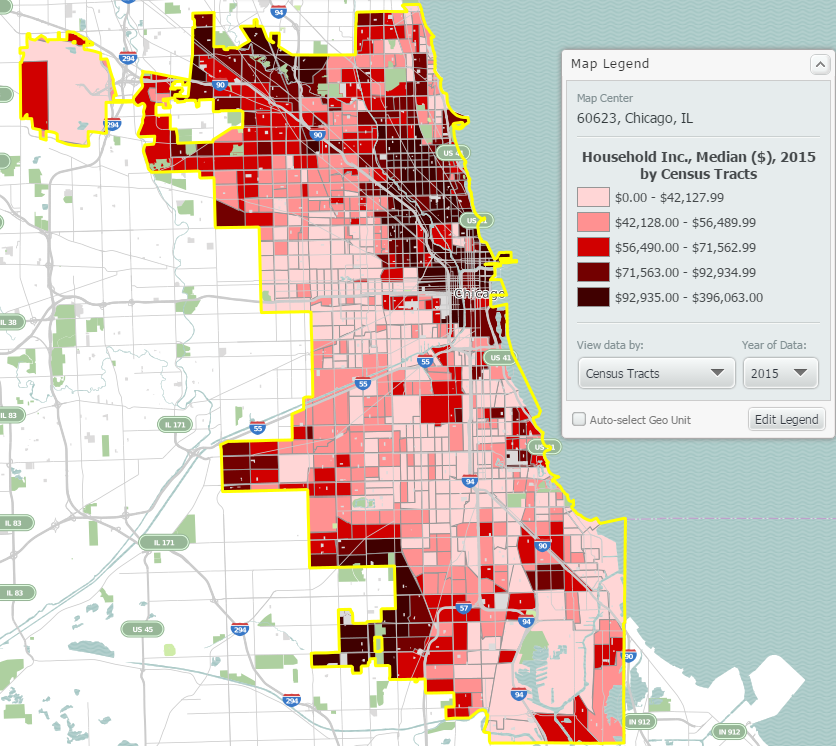
First, let’s take a look at the map that we will apply changes to. This is a map showing Median Household Income for the city of Chicago:
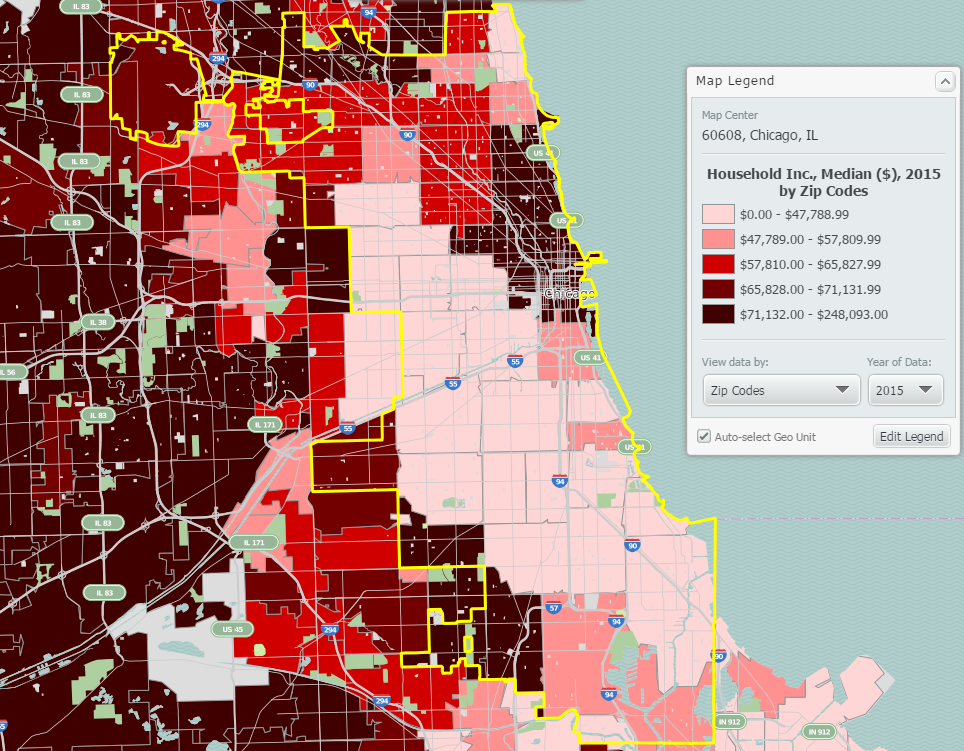
At this level of zoom and geography, your map will display by ZIP Codes. If you’d like to see a more granular map, select a smaller geography from the View Data By dropdown in your map legend. The map below displays the data by census tract:
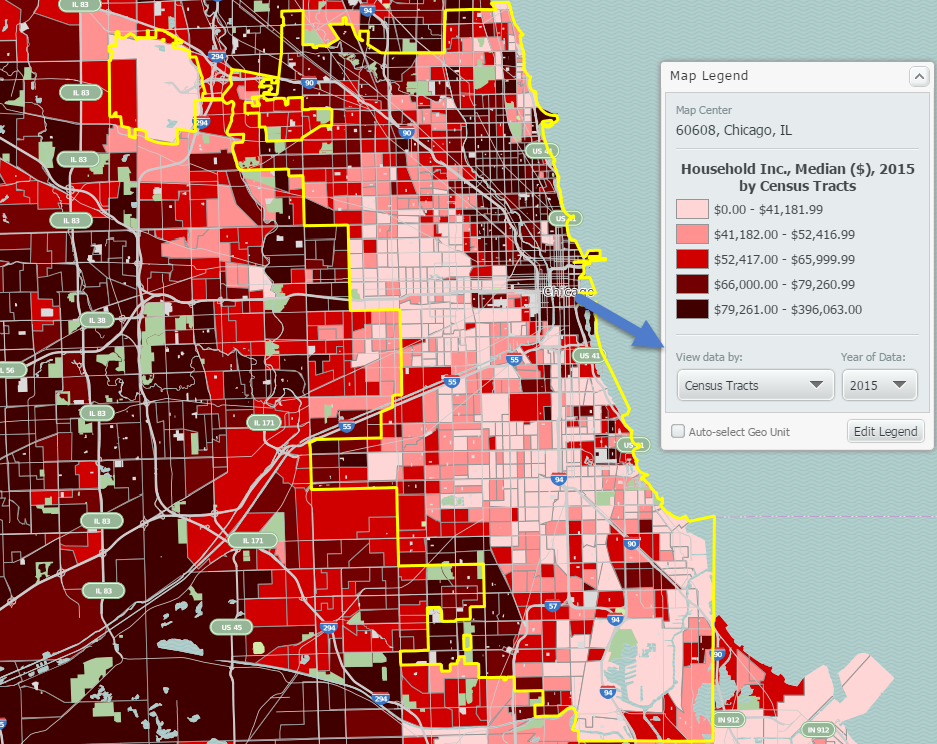
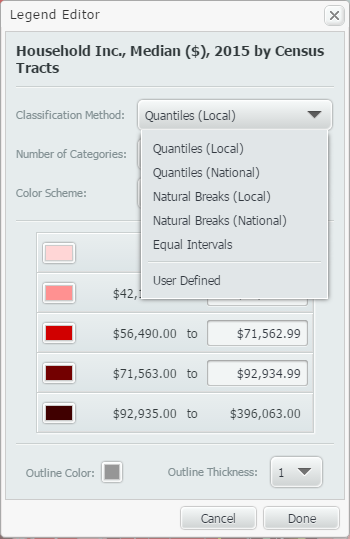
Next, when you create maps in SimplyMap, by default the legend values will use national figures. If you would like to see your map legend changed to reflect the underlying data specifically for the region shown on the map, try changing the classification method to be Quantiles Local. This option is found in the Edit Legend menu.
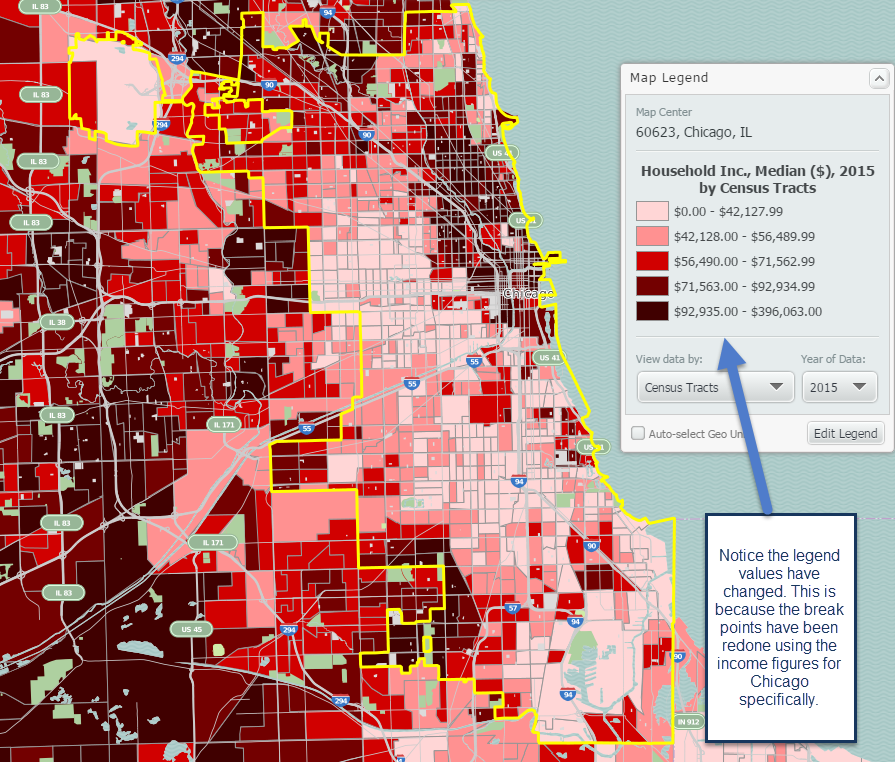
New map shown below with reconfigured break points:
The last tip we have here involves applying a location mask to your map. Doing so will remove the surrounding areas around your selected location. This feature is found in the Display Options dropdown located towards the top right of SimplyMap.
Final map shown below:
Our tips summarized:
1. Try changing the unit of geography for your map to be smaller from the View Data By dropdown in the legend.
2. Change the classification method of your map to be quantiles local. This reconfigures your break points to reflect the underlying data of your study area (we used Chicago).
3. Apply a Location Mask from the Display Options menu.
We hope you enjoyed these tips - stay tuned for more!
More from SimplyAnalytics


Posted on Jun 09, 2021 by Admin
Hello readers! SimplyAnalytics will be exhibiting at the Virtual ALA Annual Conference this year on June 23-26. Be sure to drop by our booth, and click the banner image to video chat with...
Posted on Oct 26, 2018 by Admin
Welcome readers! This week we’ll take a look at how to browse for data by category in SimplyAnalytics. Browsing by Category is the default way of browsing for data in SimplyAnalytics. It ...
Posted on Mar 11, 2024 by Admin
We're thrilled to announce that SimplyAnalytics will be exhibiting at the ALA Annual Conference in San Diego! We can't wait to connect with library professionals, share insights, and show...
Posted on Jun 16, 2016 by Admin
This week’s SimplyMap report is a quick tip that we hope you find useful and time saving. Did you know that SimplyMap will save all recently searched business queries for future usage? Le...
Posted on Feb 21, 2018 by Admin
We are looking forward to attending our first Electronic Resources & Libraries (ER&L) conference in Austin, TX! Visit us at Table #510 for a closer look at SimplyAnalytics – the b...
Posted on Feb 16, 2009 by Admin
Men's Health conducted their first survey of America's recycling habits, and used SimplyMap in their research. Here’s how the editors explain their methodology: To determine how well citi...
Posted on Nov 29, 2009 by Admin
Legal Information Alert, a monthly newsletter covering what's new in legal publications, databases and research techniques, published a review of SimplyMap in their April 2009 issue title...
Posted on Feb 24, 2023 by Admin
We are excited to attend SCELCapalooza 2023, a three-day conference for academic and research librarians in Southern California. The Vendor Day showcase will take place on March 1st, 2023...
Posted on Jun 08, 2015 by Admin
In this week’s report we take a look at one folder found within SimplyMap’s SimmonsLOCAL data package. SimmonsLOCAL is a powerful targeting and profiling system that provides insights int...
Posted on May 28, 2009 by Admin
The Charleston Advisor, which publishes critical reviews of online resources for libraries, published a review of SimplyMap in April. We are very pleased to have received 4 1/4 stars out...